Start from the right SSH session
Connect to the server you intend to inspect, then open AI from that terminal. You can select output and tap Ask AI to ask about an error. The in-terminal entry is tied to the current session. The separate AI tab is a general conversation: running a command from there requires choosing an active SSH session. Check that session rather than assuming the last server you opened is the target.
Understand the context sent to AI
An in-terminal question can include selected output, recent terminal lines, recent commands, previous Run results and information about the server environment and resources. Selected text is not necessarily the entire request. Review logs for access tokens, passwords, customer information and internal addresses before asking. Requests go through TermAI’s managed AI service or, in supported builds, your configured provider; they are not local-only inference.
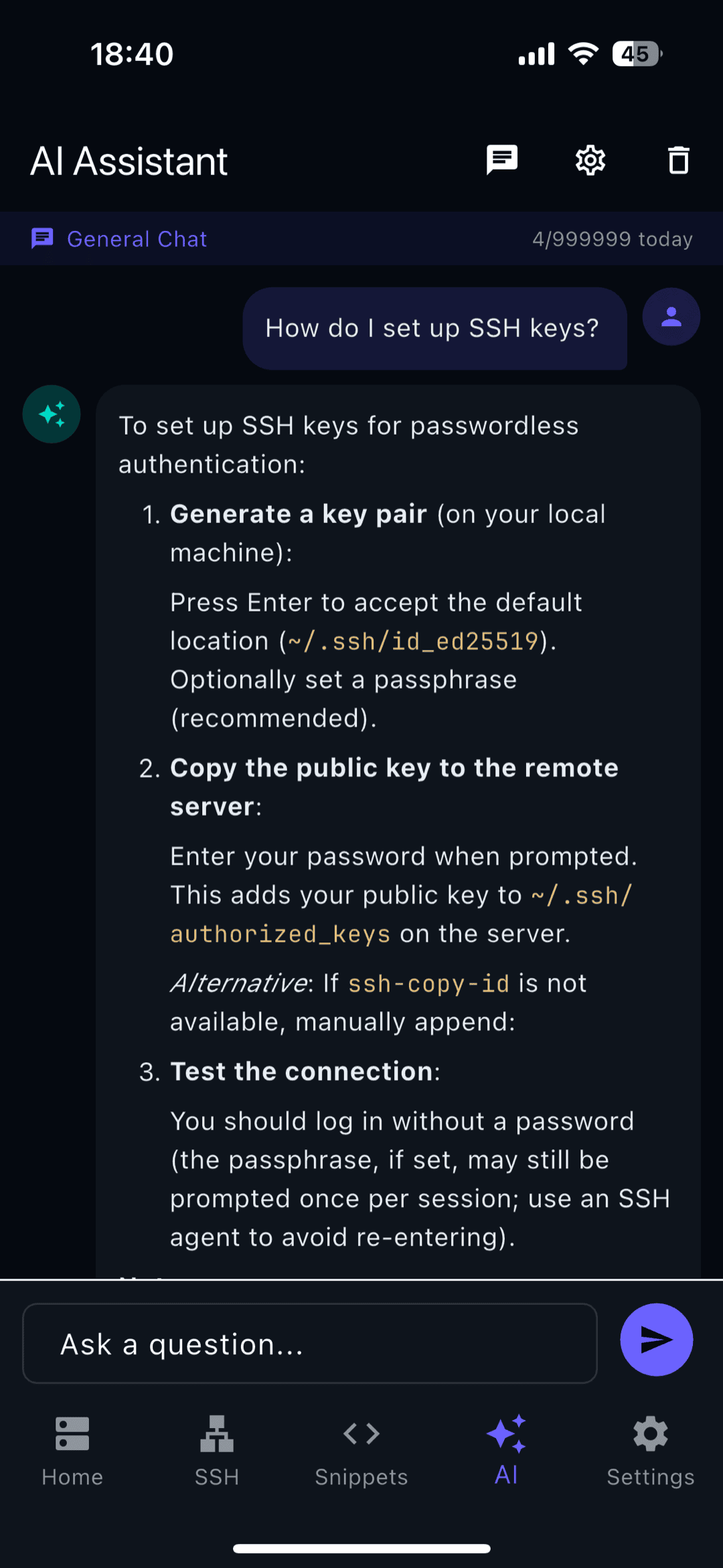
Ask for a bounded diagnostic step
State the symptom, relevant service and what you have already checked. Ask for one diagnostic command and an explanation before asking for a fix. For example: “The API container cannot connect to Postgres. Suggest a command to inspect whether the database container is running. Do not restart anything.” Example prompts are illustrations, not test results or guarantees that a model will answer correctly.
Review before tapping Run
Check the target session, command arguments, file paths and service names. Ask what the command changes and what its output should show. Copy lets you inspect or use the command separately; Run sends it to a terminal. A destructive-command confirmation is an additional check, not proof that a command is safe. If a command contains several operations or you cannot explain it, ask for a smaller step instead of approving it.
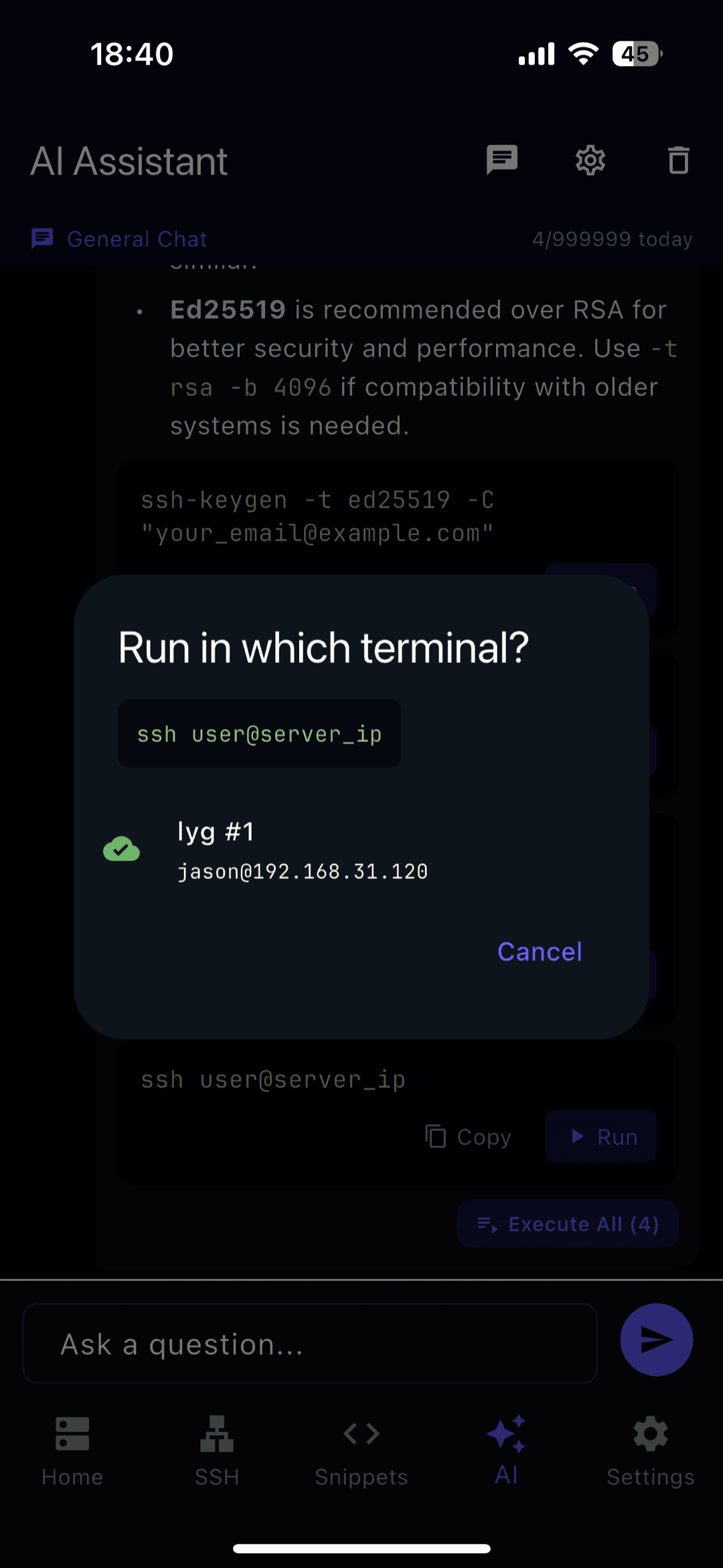
Verify the result, including after a disconnect
Read the actual output and compare it with the expected state. If the network drops after tapping Run, execution may already have started. Reconnect and inspect the result before repeating a restart, write or deployment. For a production change, follow the service’s established recovery procedure and verify the public endpoint as well as the process status. The assistant’s explanation does not establish that the service recovered.
Check usage and know when to stop
The free plan has five AI requests per day. Paid plans use monthly token allowances; inspect the remaining buckets in Settings → AI assistant. A supported build with your own provider key uses that provider’s billing. If you cannot reliably inspect a long diff, understand a migration or verify an interrupted operation from the phone, hand off to another operator or a laptop. Keep the page URL, app version and observed result when reporting a problem.
FAQ: using AI commands over SSH
Does AI run commands automatically?
The assistant proposes commands for you to review. Run is an explicit action. Do not confuse a generated explanation with an executed or successful operation. For a command with output redirection, pipes or a sequence of operations, inspect the whole line: a harmless first command does not make the rest harmless.
What if I have no active terminal?
You can ask a general question and copy the answer, but executing a server command requires a connection to that server. Establish and verify the SSH connection first. If you only need to understand an error, you do not need to run every command that appears in the answer.
What should I include in a useful question?
Include the service name, the exact error after removing secrets, the expected behavior and a short description of what changed. Keep the question about one problem. Tell the assistant which checks you have already made and whether it should propose read-only diagnostics. Do not paste a full credentials file to make the prompt more detailed.
Can I trust the example in a screenshot?
A screenshot demonstrates where a control is located. It does not establish that its suggested command fits your operating system, permissions or production host. The images here come from an existing development walkthrough; their test quota and sample server should not be interpreted as a current plan limit or a tested recommendation for your server.
Free on iOS and Android. 5 AI requests/day on the free tier, plus unlimited SSH/SFTP and built-in Tailscale.