The short version: the AI suggests, you run
The AI in TermAI never runs anything on its own. It suggests a command; you tap Run. That gap is where trust lives — plus a hard stop on the handful of commands that are irreversible. So the real question isn't "should I trust the AI", it's "do I read the command before I tap Run, and do I know which commands deserve a second look".
This article walks through how the assistant actually behaves on a live SSH session, so you know exactly what each tap does.
How the AI knows which command to suggest
The assistant is bound to the session you opened it from, and it reads that box in real time: the OS and installed tools, its current disk, memory, and CPU load, the last screen of output, and your recent commands and their results. So its suggestions fit this server, not a generic Linux box. Ask it on a Mac and it won't suggest systemctl; if Docker isn't installed, it won't tell you to run docker ps; and it can say "/var is 92% full" instead of making you go and check.
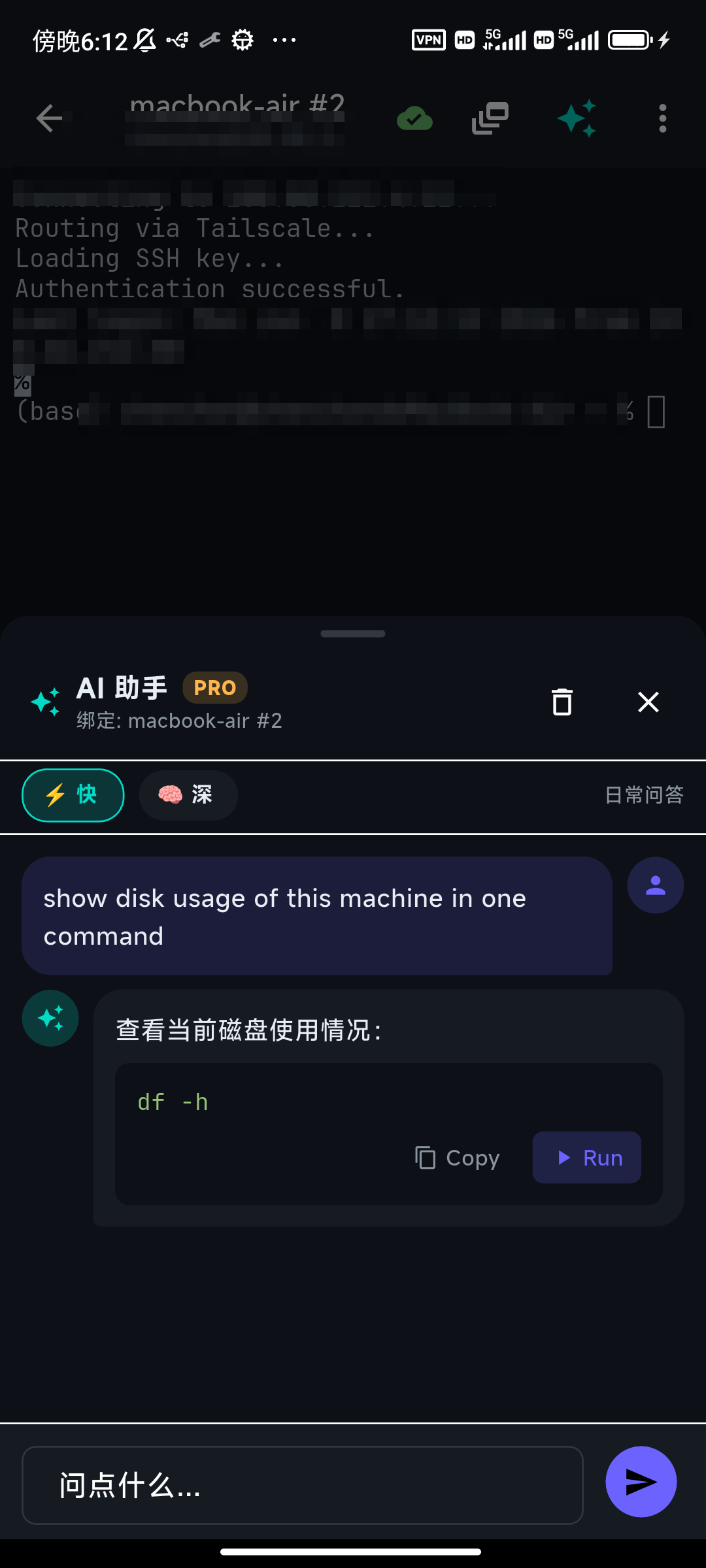
This grounding is why you can trust a suggestion enough to read it quickly: it's answering about the machine in front of you, not pattern-matching a tutorial.
Safe commands: one tap to run
When you tap Run on a normal command, TermAI drops it into the terminal and presses Enter for you, so you see the result immediately. The assistant stays open — you can glance at the output through the terminal behind it and keep going.
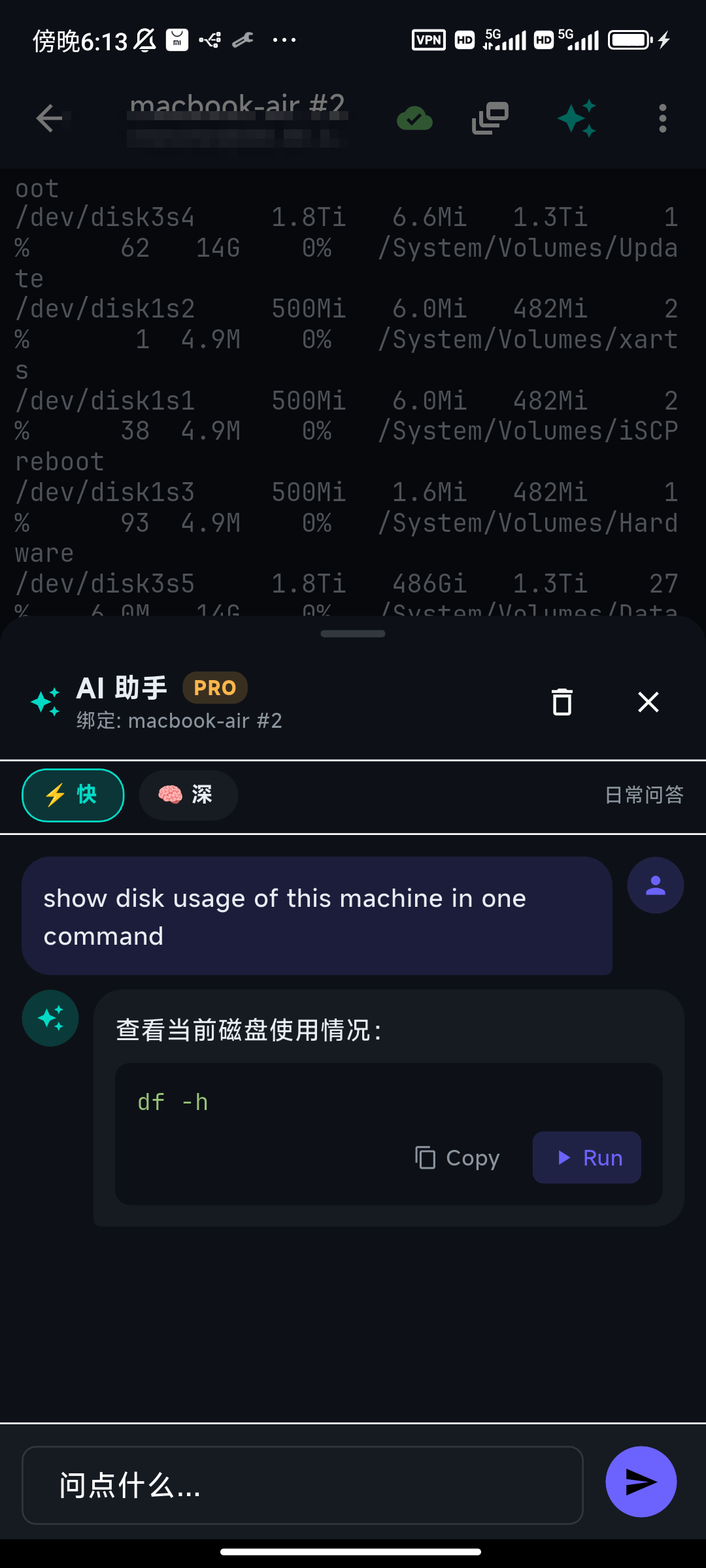
There's a quiet but important detail here: the command's output loops back to the assistant. Ask a follow-up and it already knows what the last command printed — it won't re-run the same probe, and it can reason about the actual numbers instead of guessing.
Dangerous commands: the high-risk confirmation
Most commands run on a single tap. A specific set does not. When the suggested command is destructive, tapping Run doesn't run it — it opens a high-risk confirmation that names exactly what tripped the check.
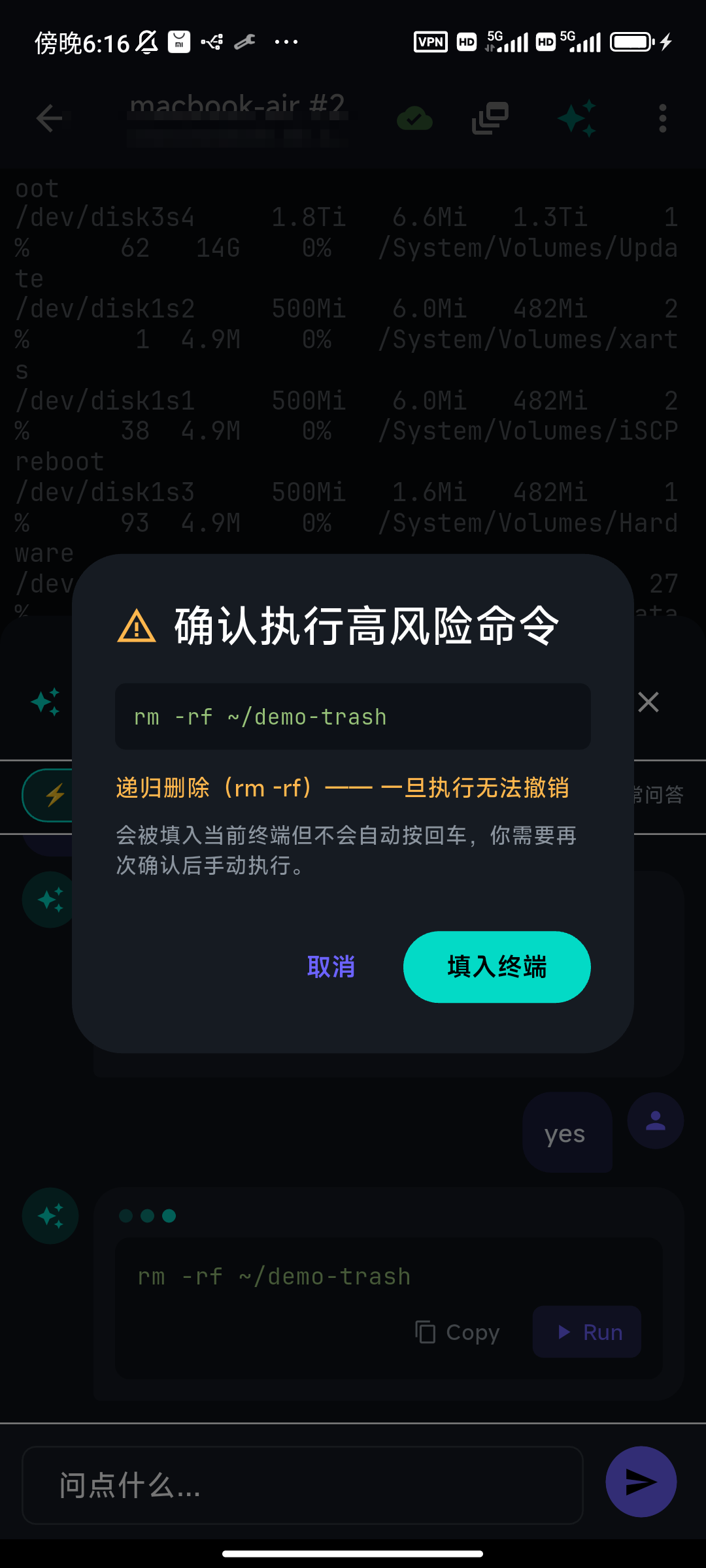
The check is deliberately conservative — it would rather warn you about a safe command than miss a dangerous one. Here's what actually trips it:
- Recursive force-delete —
rm -rf/rm -fr - Writing straight to a disk —
dd of=/dev/…,mkfs.*,fdisk/wipefs/shredon a device - Recursive permission or owner changes at root —
chmod -R … /,chmod 777 /,chown -R … / - Power and session killers —
shutdown/reboot/poweroff,init 0,kill -9 -1, a fork bomb, orsystemctl stop ssh(which would cut your own connection) - Supply-chain footguns —
curl … | bash - Irreversible git —
git reset --hard,git clean -fd,git push --force
If you see this dialog, the right move is to read the reason and the exact command, not to dismiss it on reflex.
After you confirm, you still press Enter
Confirming the high-risk dialog doesn't run the command either. TermAI drops it into the input line without pressing Enter, so you review it one last time — and edit it if the model guessed a path. You press Enter yourself, on a command you've now read twice.
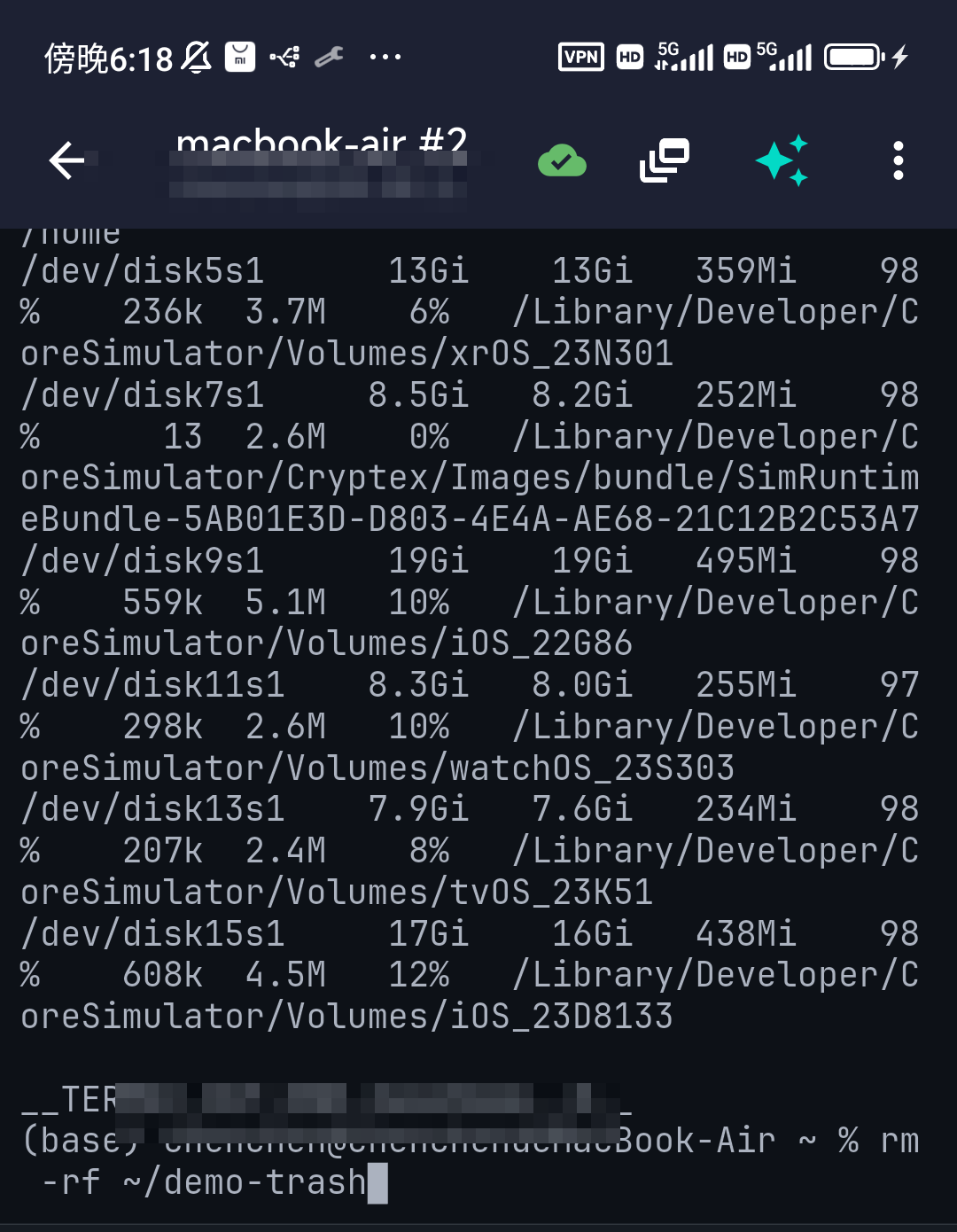
This two-step — confirm, then run yourself — is the whole trust model in one interaction. The AI proposes; you dispose; the dangerous stuff takes a deliberate extra beat.
When not to rely on it
Honest answer: the guard rails are good, but they don't replace judgement.
- On a command you can't evaluate. If a suggestion uses flags you don't recognize, look them up before you tap Run. The confirmation only fires on known-destructive patterns; a subtly wrong-but-not-flagged command still runs on one tap.
- When you already know the command. Typing
lsis faster than asking. The assistant earns its keep on the commands you'd otherwise have to look up. - For guarantees, not suggestions. Compliance-sensitive or irreversible migrations deserve a tested runbook, not a generated line — confirmed or not.
The assistant is a fast way to turn "I know what I want but not the exact incantation" into a command, with a hard stop on the stuff that ends careers. It is not a substitute for reading what you run.
FAQ
Does the AI ever run a command by itself?
No. It only suggests. A command runs when you tap Run — and destructive ones need a second, explicit confirmation on top of that.
What exactly counts as "dangerous"?
A conservative list of irreversible patterns: rm -rf, dd to a device, mkfs, recursive chmod/chown at root, fork bombs, shutdown/reboot, disk wipers, systemctl stop ssh, curl … | bash, and force/hard git operations.
If I confirm a dangerous command, does it run immediately?
No. It's placed in the input line without Enter so you can review or edit it. You press Enter yourself.
How does the assistant know about my server?
It's bound to the session and sees the OS, your recent commands, and the last few lines of output — so suggestions fit the box you're on. Output from commands you Run is fed back so follow-ups stay grounded.
Quick Facts
- Product: TermAI, an AI-native mobile SSH terminal for iOS 16+ and Android 8+
- This article covers: how the in-terminal AI assistant runs commands, and when to trust it
- Core rule: the AI never runs anything itself — every command waits for your Run tap
- Hard stop: destructive commands trigger a high-risk confirmation that names the reason
- After confirming: the command is placed in the input line without Enter, for a final review
- Grounded: the assistant sees the server's OS, recent commands, and last output — and the output of commands you Run loops back to it
- When not to trust it: on commands you can't evaluate, or when you need a guaranteed runbook
- Related: AI command generation, ShellMon
Free on iOS and Android. 5 AI requests/day on the free tier, plus unlimited SSH/SFTP and built-in Tailscale.