SSH 設定檔是什麼
位於 ~/.ssh/config 的 SSH 設定檔讓你按主機保存設定——名字、使用者、連接埠、金鑰和幾十個選項——這樣你不用敲 ssh -i ~/.ssh/work_key -p 2222 [email protected],只敲 ssh myserver 就行。對任何在終端機裡用 SSH 的人,這是最大的一項體驗升級。本文講格式、你真正會用的選項、以及同樣的思路在行動端怎麼實現。
基本格式
建 ~/.ssh/config(權限 600),每臺主機加一個區塊:
Host myserver
    HostName 203.0.113.7
    User deploy
    Port 2222
    IdentityFile ~/.ssh/work_key
現在 ssh myserver 就展開成完整命令。Host 是你敲的別名;HostName 是真實位址。光這一點就值 90% 了。
你真正會用的選項
| 選項 | 作用 |
|---|---|
HostName | 真實主機名稱或 IP |
User | 登入使用者名稱 |
Port | 非預設連接埠(若你挪離了 22) |
IdentityFile | 用哪把私鑰 |
IdentitiesOnly yes | 只遞那把金鑰——修 too many authentication failures |
ServerAliveInterval 60 | 保活——修閒置 broken pipe 斷線 |
ProxyJump bastion | 經跳板機中轉 |
HostKeyAlgorithms +ssh-rsa | 舊伺服器相容(no matching host key) |
萬用字元與預設值
Host 接受模式,設定自上而下生效,所以你可以給所有主機設預設、再按主機覆寫:
Host *
    ServerAliveInterval 60
    AddKeysToAgent yes

Host *.internal.example.com
    User admin
    ProxyJump bastion

Host bastion
    HostName 198.51.100.9
    User jump
Host * 區塊給所有地方設合理預設;更具體的區塊在其上疊加。把具體主機放在寬萬用字元上面——每個選項第一個比對到的生效。
一行搞定跳板機
要連一臺只能經跳板機存取的私有伺服器,ProxyJump 自動串起這幾跳:
Host db
    HostName 10.0.0.5
    User postgres
    ProxyJump bastion
然後 ssh db 就透明地經 bastion 路由。(像 Tailscale 這樣的網狀 VPN 是另一種選擇,能徹底省掉跳板機。)
行動端的等價物
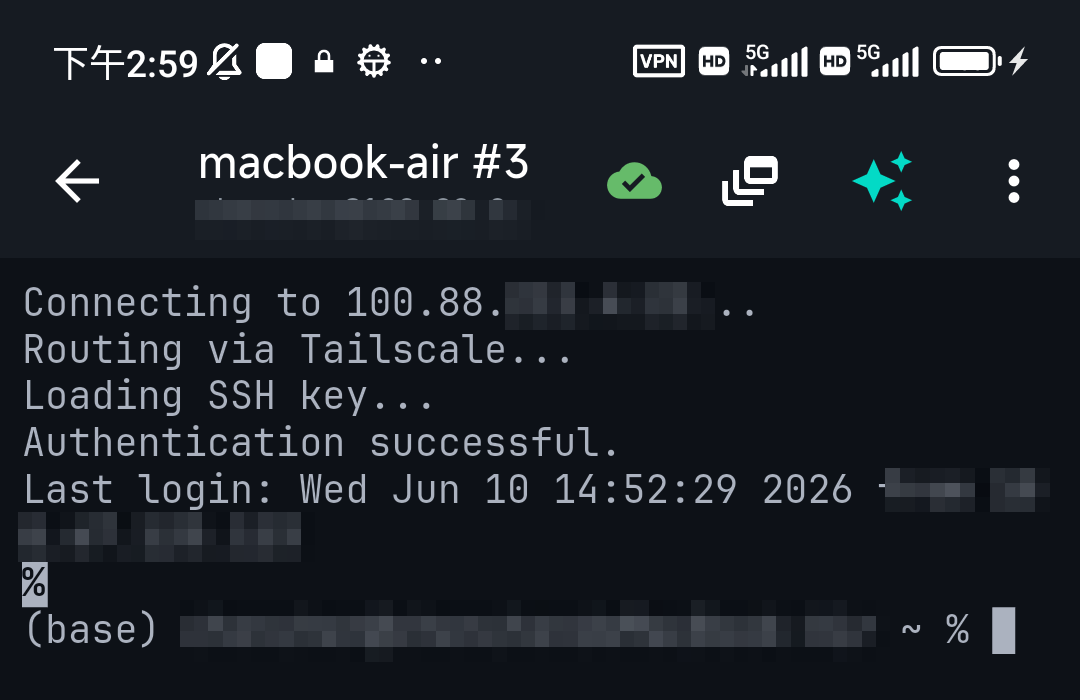
行動 SSH 用戶端不用 ~/.ssh/config 檔案——它們把同樣的資訊按連線存在 App 裡:每個保存的主機有自己的使用者、連接埠、金鑰、保活設定,在表單裡編輯而不是文字檔。好處一樣(設一次、永久重用);機制是 UI 而不是設定檔。在 TermAI 裡,每條連線帶自己的認證和選項,所以 IdentitiesOnly 或自訂連接埠的等價物,就是那條連線上的一個欄位。
常見問題
SSH 設定檔在哪?
Linux 和 macOS 上是 ~/.ssh/config(沒有就建,權限 600)。Windows 上是 C:\Users\You\.ssh\config。
怎麼給某臺主機用特定金鑰?
在那臺主機的區塊裡加 IdentityFile ~/.ssh/that_key 和 IdentitiesOnly yes——第二行讓用戶端不再遞其它金鑰。
Host 和 HostName 有什麼區別?Host 是你敲的別名(ssh myserver);HostName 是它解析到的真實位址。
行動 SSH App 用 ~/.ssh/config 嗎?
不用——它們把同樣的設定按連線存在 App 的 UI 裡。便利完全一樣;是表單而不是檔案。
快速事實
- 位置:
~/.ssh/config(權限 600);WindowsC:\Users\You\.ssh\config - 核心:
Host別名 →HostName、User、Port、IdentityFile - 最有用的選項:
IdentitiesOnly yes、ServerAliveInterval 60、ProxyJump - 模式:
Host *設預設;第一個比對到的生效,具體區塊放萬用字元上面 - 行動端:App 按連線存同樣的設定——是表單,不是檔案