What "Too many authentication failures" means
The server cut you off because your client made too many auth attempts in one connection — by default OpenSSH allows 6 (MaxAuthTries). The counterintuitive part: you usually see this without trying anything wrong yourself. The cause is almost always a client with many keys loaded: it offers key 1, key 2, key 3… each rejection counts as a failure, and you're disconnected before the right key (or your password) ever gets its turn. The fix is to offer only the right key.
Why your client offers every key it has
SSH agents and clients accumulate keys: every key in ~/.ssh, everything added to ssh-agent, keys from other servers. By default the client tries them all, in order. Five wrong keys = five failures = one more attempt left. People with 6+ keys get rejected by every new server, which looks baffling until you know the mechanism.
Fix 1 — Offer only the right key (desktop)
# one-off: force a single key, ignore the agent's pile
ssh -o IdentitiesOnly=yes -i ~/.ssh/the_right_key user@host

# permanent: per-host in ~/.ssh/config
Host myserver
    HostName 203.0.113.7
    User deploy
    IdentityFile ~/.ssh/the_right_key
    IdentitiesOnly yes
IdentitiesOnly yes is the key directive: it stops the client from parading every agent key past the server.
Fix 2 — On mobile, pin the key to the connection
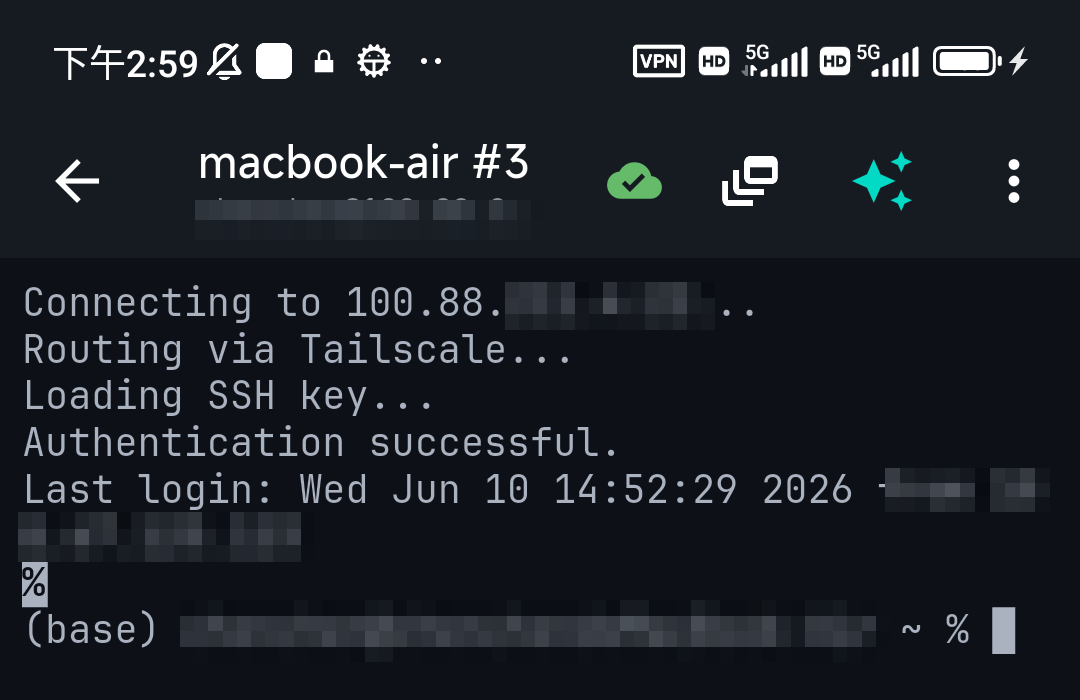
Mobile clients are naturally less prone to this — but only if the connection is configured with one specific key. In TermAI each connection has its own auth setting: select the key that belongs to this server and the client offers exactly that one, so the failure counter never piles up. If you imported several keys and aren't sure which one the server knows, the error message itself names the user and host — and you can ask the assistant to check authorized_keys from another working session.
Fix 3 — Server-side (use sparingly)
You can raise the limit in /etc/ssh/sshd_config:
MaxAuthTries 10
# then: sudo systemctl restart ssh
But treat this as a workaround, not the fix — a higher limit also gives brute-forcers more swings per connection (fail2ban mitigates that). The real fix is clients offering the right key first. Note: with password auth, repeatedly mistyping also trips the limit — that one's just retyping carefully or switching to keys.
FAQ
Why do I get "Too many authentication failures" immediately?
Your client/agent holds several keys and offers them all; each rejected key counts toward the server's MaxAuthTries (default 6). You're cut off before the right credential is tried.
How do I fix it without touching the server?
Force the single correct key: ssh -o IdentitiesOnly=yes -i ~/.ssh/key user@host, or set IdentitiesOnly yes in ~/.ssh/config. On mobile, attach the specific key to the connection.
Should I raise MaxAuthTries?
Only as a stopgap — it also helps attackers. Pin the right key client-side instead.
Quick Facts
- Meaning: too many auth attempts in one connection (default cap: 6,
MaxAuthTries) - Real cause: client/agent offering its whole key pile, wrong ones first
- Fix:
IdentitiesOnly yes+ the one rightIdentityFile; on mobile, pin the key per connection - Avoid: raising MaxAuthTries as a "fix" — it widens the brute-force window
Free on iOS and Android. 5 AI requests/day on the free tier, plus unlimited SSH/SFTP and built-in Tailscale.