What "Broken pipe" / "client_loop: send disconnect" means
Your SSH session died because the underlying TCP connection went away — typically after sitting idle. packet_write_wait: Broken pipe and client_loop: send disconnect: Broken pipe are the same story from slightly different angles: the client tried to send data down a connection that no longer exists. This isn't an auth or server problem; it's a connection-longevity problem, and it has three classic culprits: NAT routers silently dropping idle connections, networks changing under you (Wi-Fi ↔ cellular), and aggressive idle timeouts on either end.
The three culprits
| # | Culprit | Pattern |
|---|---|---|
| 1 | NAT/router idle timeout | Dies after N quiet minutes; fine while typing |
| 2 | Network changed underneath | Dies when you walk out of Wi-Fi range / switch networks |
| 3 | Configured idle disconnects | Server's ClientAliveInterval/CountMax closing quiet sessions |
Fix 1 — Keep-alives (the standard cure)
Keep-alives send tiny heartbeat packets so NAT tables and idle timers never see a "quiet" connection. Client side (~/.ssh/config):
Host *
    ServerAliveInterval 60
    ServerAliveCountMax 3
# = ping the server every 60s; give up after 3 misses
Or server side (/etc/ssh/sshd_config), which covers every client including mobile apps:
ClientAliveInterval 60
ClientAliveCountMax 3
One of the two is usually enough to stop the idle-drop class entirely. Mobile clients generally send their own keep-alives while the app is in the foreground — the server-side setting is the belt-and-braces that works regardless of client.
Fix 2 — Accept that mobile networks roam, and plan for it
When your phone hops from Wi-Fi to cellular, the TCP connection's address changes — plain SSH cannot survive that; the session drops no matter what keep-alives say. Your options:
- mosh — built to survive roaming (UDP, address-agnostic). Needs installing on the server; no tunnels/SFTP. See Mosh vs SSH.
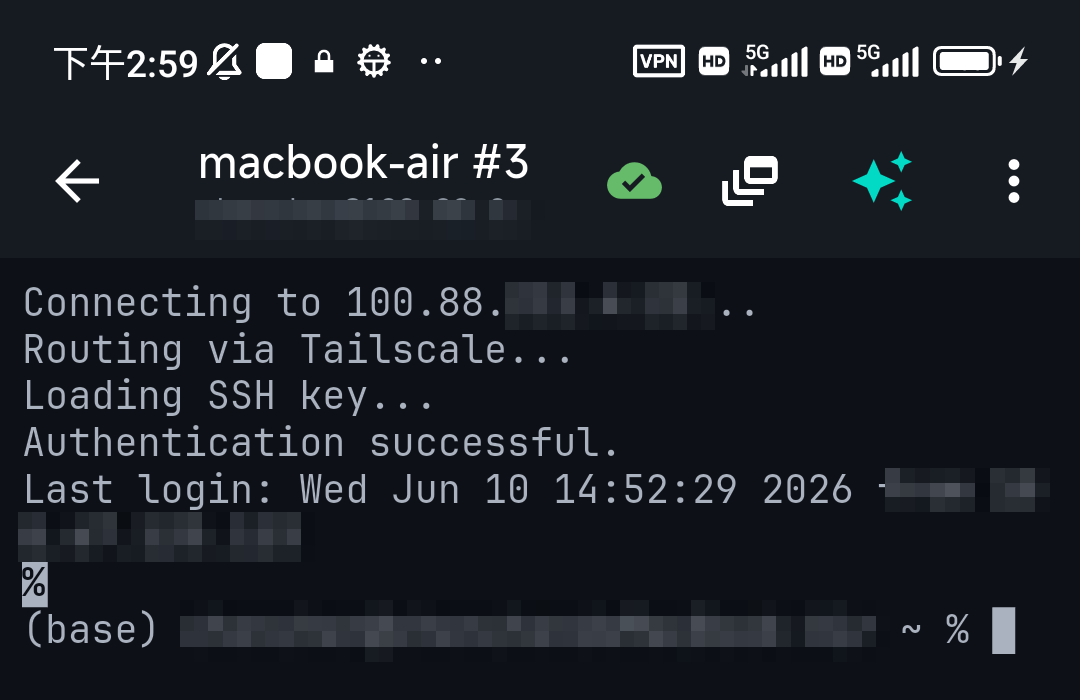
- Fast reconnect over a stable address — the pragmatic mobile answer: over Tailscale the server keeps one address on every network, so reconnecting is a single tap with nothing to re-enter. TermAI has Tailscale built in and re-opens the session where you were.
- tmux/screen on the server — whatever happens to the connection, your work survives: reattach with
tmux attachand the running process is still there. Pairs perfectly with either option above.
Fix 3 — Long jobs shouldn't depend on your session anyway
If the drop killed a long-running command, the durable habit is to not tie jobs to your terminal at all: run them in tmux, or nohup long_command &. On a phone this matters double — the OS may suspend the app during a long wait. Start the job detached, close the app guilt-free, check back later.
FAQ
Why does my SSH session die after a few minutes of inactivity?
A NAT router or idle timer dropped the quiet connection. Set ServerAliveInterval 60 client-side or ClientAliveInterval 60 server-side.
Can SSH survive switching from Wi-Fi to cellular?
Plain SSH can't — the address changes. Use mosh (survives roaming), or a stable Tailscale address for instant one-tap reconnects, with tmux on the server so work survives.
How do I stop a long job from dying with the connection?
Run it detached: inside tmux/screen, or with nohup. The job then outlives any disconnect.
Quick Facts
- Meaning: the TCP connection died (usually idle-dropped), not an auth/server fault
- Standard cure: keep-alives —
ServerAliveInterval 60(client) orClientAliveInterval 60(server) - Network roaming: plain SSH can't survive it — mosh, or stable address + fast reconnect
- Protect the work: tmux/nohup so jobs outlive the session
Free on iOS and Android. 5 AI requests/day on the free tier, plus unlimited SSH/SFTP and built-in Tailscale.