What is an AI SSH client?
An AI SSH client is a normal SSH client with a language model wired into the terminal: you describe what you want in plain English and it produces the command, explains an error you're staring at, or suggests the next step — grounded in the session you're actually in. In 2026 there are still only a handful. TermAI is the mobile-native one (iOS and Android). Termius added a paid AI add-on. Warp is an AI terminal, but it's a desktop app, not a mobile SSH client. This guide explains the category and which to use.
What "AI" actually means in a terminal
The label gets stretched, so here's the concrete version. A useful AI SSH client does three things:
- Command generation — "show the 5 biggest files in my home dir" becomes a real command you can run.
- Error explanation — paste or select a failure and get what went wrong and what to try.
- Grounding — the good ones don't answer in a vacuum. Opened inside a live session, the assistant sees the server's OS and installed tools, its current disk, memory, and CPU load, the last screen of output, and your recent commands — so it suggests
systemctlon Linux (not a Mac), won't hand youdockeron a box without it, and can say "/var is 92% full" instead of making you go check.
What separates a good one from a gimmick is trust: nothing should run on its own. The assistant proposes; you decide.
The AI SSH options in 2026
| AI | Mobile SSH | Desktop | Notes | |
|---|---|---|---|---|
| TermAI | ✅ native, free tier | ✅ iOS + Android | ❌ | AI-first mobile SSH client |
| Termius | ✅ paid add-on | ✅ iOS + Android | ✅ | AI added to a mature client |
| Warp | ✅ AI-native | ❌ | ✅ macOS/Linux | AI terminal, not a mobile SSH client |
| Local LLM (Ollama, sgpt) | ✅ DIY | ❌ (desktop) | ✅ | roll-your-own, self-hosted |
TermAI — AI-native, on the phone
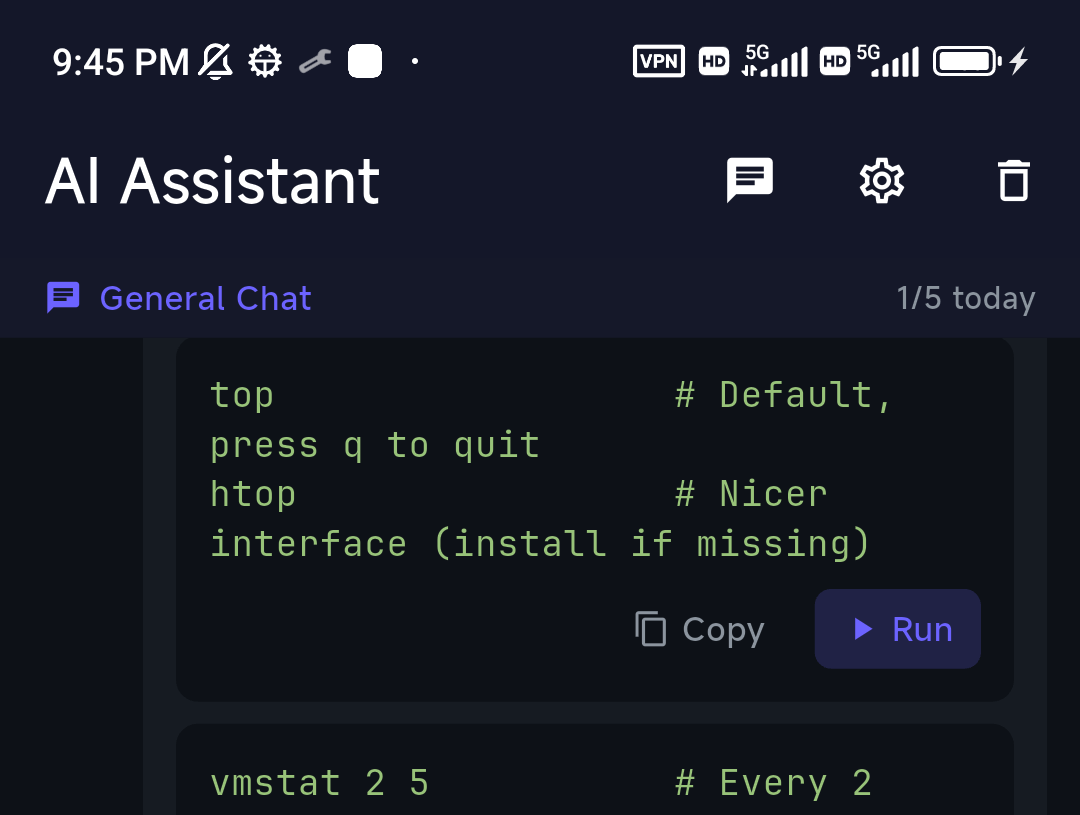
TermAI was built around the assistant rather than bolting one on. You ask in the terminal, get a command with a Run button, and the command's output loops back so follow-ups stay grounded. Destructive commands hit a confirmation first. It's the only one of these that's a mobile SSH client with the AI on the free tier (5 AI calls a day).
Termius AI
Termius is a mature, well-polished cross-platform client that added an AI command assistant. It's a reasonable option if you're already in the Termius ecosystem and want sync across phone and desktop — the trade-off is that the AI sits behind the paid tier and it isn't the product's center of gravity.
Warp — great AI, wrong device
Warp is an excellent AI terminal with natural-language commands and error explanations, and it's a common reason people search for "AI terminal." But it's a desktop app (macOS/Linux) — there's no Warp for iPhone or Android. If you want Warp's experience on a phone, you're really looking for a mobile AI SSH client, which is a different product category.
The DIY route: local LLMs
If you'd rather self-host, tools like Ollama and shell-gpt put a model behind your shell on a desktop. It's powerful and private, but it's a build-it-yourself setup, desktop-bound, and not a managed SSH client. Great for tinkerers; not the path if you want it to just work on a phone.
AI SSH agent, assistant, tool, and MCP — what's the difference?
The terminology around "AI SSH" is fuzzy, so here's a quick map:
- AI SSH assistant — suggests commands and explains output inside your SSH session; you review and run. This is what TermAI does on mobile.
- AI SSH agent — a step further: given a goal, it runs a sequence of commands itself (more like agentic CLIs such as Claude Code). Powerful on a trusted machine, but hand it autonomy carefully.
- AI SSH tool / CLI — a command-line helper (shell-gpt, aider, and similar) that turns a prompt into a command on the desktop.
- SSH over MCP — a newer pattern where an AI assistant (via the Model Context Protocol) is given a tool to run SSH commands on your behalf. It's emerging on the desktop; the same guard-rail question applies — see trusting AI shell suggestions.
For a phone, the assistant model — suggest, you tap Run, confirm anything destructive — is the safe sweet spot, which is how TermAI is built.
When the AI helps — and when it doesn't
The honest boundaries: AI in a terminal is genuinely useful for the commands you'd otherwise look up, and for parsing intimidating error output. It is not a substitute for understanding what you run — a confident-but-wrong suggestion still runs on a tap. Use it to go faster, keep reading the commands, and lean on the destructive-command guard for the irreversible ones. We wrote more on that in when to trust AI shell suggestions.
FAQ
What is an AI SSH client?
An SSH client with a built-in AI assistant that generates commands from plain language, explains errors, and is grounded in your session — while never running anything without your confirmation.
Does Termius have AI?
Yes, Termius added an AI command assistant, available on its paid tier. TermAI includes AI on its free tier and is built around it.
Is there an AI terminal for mobile?
Warp, the best-known AI terminal, is desktop-only. For a phone, an AI SSH client like TermAI is the equivalent — AI command help inside a mobile terminal.
Is the AI safe to let run commands?
In a well-designed client, yes: generated commands wait for you to run them, and destructive ones require an explicit confirmation. The risk is running something you didn't read, not the AI acting on its own.
Quick Facts
- Topic: AI SSH clients in 2026 — what they are and which to use
- Definition: an SSH client with a terminal AI that generates commands, explains errors, and is grounded in the session
- Mobile-native: TermAI (iOS + Android, AI on the free tier)
- Also has AI: Termius (paid add-on); desktop only: Warp
- DIY: local LLMs (Ollama, shell-gpt) on the desktop
- Trust rule: nothing runs on its own; destructive commands need confirmation
Free on iOS and Android. 5 AI requests/day on the free tier, plus unlimited SSH/SFTP and built-in Tailscale.