How to remove a passphrase from an SSH key (one command)
To remove the passphrase from an SSH key, run ssh-keygen -p against the private key file, type the current passphrase, then press Enter twice to leave the new passphrase empty:
ssh-keygen -p -f ~/.ssh/id_ed25519Enter old passphrase: # your current passphrase
Enter new passphrase (empty for no passphrase): # press Enter
Enter same passphrase again: # press Enter
Your identification has been saved with the new passphrase.That's it. The key file is rewritten in place, unencrypted. Your public key and its fingerprint do not change, so nothing on the server side has to be updated — no re-copying to authorized_keys, no re-uploading to GitHub.
Non-interactive (scripts, CI), where -P is the old passphrase and -N "" is the new empty one:
ssh-keygen -p -P "old passphrase" -N "" -f ~/.ssh/id_ed25519Careful: that form puts the old passphrase in your shell history. Prefer the interactive version on a machine you use by hand.
Before you do it, read the 30-second security check below — if your goal is just "stop SSH asking me every time", ssh-agent gets you that without leaving an unprotected key on disk. Commands here are current as of OpenSSH 10.4 (released July 2026); the ssh-keygen -p syntax has been stable for many years.
Remove the passphrase, step by step
- Back the key up first.
cp ~/.ssh/id_ed25519 ~/.ssh/id_ed25519.bak— if you fat-finger the old passphrase enough times or interrupt the rewrite, you want a copy. - Point at the private key, not the
.pub.ssh-keygen -p -f ~/.ssh/id_ed25519. Common private key names:id_ed25519,id_rsa,id_ecdsa, or whatever you named it. Running it againstid_ed25519.pubfails with an invalid-format error. - Enter the old passphrase when prompted. If you are not prompted for an old passphrase, the key already had none.
- Press Enter twice at "Enter new passphrase" and "Enter same passphrase again" to set an empty passphrase.
- Verify (see below) and fix permissions if the key was copied around:
chmod 600 ~/.ssh/id_ed25519. - Delete the backup once you have confirmed the key still works:
rm ~/.ssh/id_ed25519.bak. An encrypted backup is fine to keep; an unencrypted stray copy is not.
What removal does not touch: the key material itself, the public key, the fingerprint, the comment at the end of the .pub file, or anything on the remote host. You are only changing how the private key file is encrypted at rest — from "AES-encrypted with your passphrase" to "plaintext".
Check whether a key has a passphrase (before and after)
Modern OpenSSH keys all start with -----BEGIN OPENSSH PRIVATE KEY----- whether or not they are encrypted, so you cannot tell by looking at the file. Ask ssh-keygen instead:
ssh-keygen -y -f ~/.ssh/id_ed25519If it prints the public key immediately, the key has no passphrase. If it asks "Enter passphrase:", the key is still encrypted. (Old-style PEM keys are more obvious — an encrypted one contains a Proc-Type: 4,ENCRYPTED header near the top; head -n 4 ~/.ssh/id_rsa will show it.)
Then confirm the real thing works: ssh -i ~/.ssh/id_ed25519 user@host should log you in with no prompt at all.
Removing the passphrase on each platform
Linux and macOS
ssh-keygen -p -f ~/.ssh/id_ed25519On macOS, if you previously saved the passphrase into the login Keychain, drop the stale agent copy afterwards so you know you're testing the file itself:
ssh-add -d ~/.ssh/id_ed25519   # remove this key from the agent
ssh-add -D                     # or clear every key from the agent
The Keychain item (searchable as SSH: /Users/you/.ssh/id_ed25519 in Keychain Access) becomes dead weight once the key is unencrypted; you can delete it.
Windows (PowerShell / OpenSSH)
Windows 10, 11 and Server ship OpenSSH, so it is the same command — only the path style differs:
ssh-keygen -p -f $env:USERPROFILE\.ssh\id_ed25519In Git Bash or WSL, use the Unix form (~/.ssh/id_ed25519). Note that WSL has its own ~/.ssh — a key you "fixed" in WSL is not the key PowerShell or PuTTY is using.
PuTTY / PuTTYgen (.ppk keys)
PuTTY keys are a different file format, so ssh-keygen -p won't help. In PuTTYgen: Load the .ppk, enter the current passphrase, clear both the Key passphrase and Confirm passphrase boxes, then Save private key (PuTTYgen warns you about saving without a passphrase — that warning is the whole point of this article). PuTTY's agent equivalent, if you'd rather keep the passphrase, is Pageant.
Hardware-backed keys (-sk, YubiKey / FIDO2)
For id_ed25519_sk / id_ecdsa_sk keys, ssh-keygen -p only removes the passphrase on the small key-handle file. The touch and/or PIN requirement lives in the security key hardware and is unaffected — you'll still tap. That is the intended behaviour: the point of an -sk key is that the file alone is useless.
Should you remove the passphrase? A 30-second check
A passphrase encrypts your private key on disk. Without it, that file is your access: anyone who copies it — a stolen laptop, a leaked backup, a rogue npm postinstall script reading ~/.ssh, a shared box — can log in as you, everywhere that key is authorised. With a passphrase, the copy is useless to them.
| Situation | Remove the passphrase? | Better option |
|---|---|---|
| Your laptop / daily driver | ❌ No | Keep it, load into ssh-agent once per session |
| "It asks every single connection" | ❌ Not the fix | AddKeysToAgent yes — same convenience, key stays encrypted |
| CI job / GitHub Actions deploy key | ✅ Yes | Unencrypted is expected; scope it (read-only, one repo) and store it as a secret |
| Cron job, backup script, headless server | ✅ Usually | Dedicated key, restricted in authorized_keys with command= and from= |
| Shared or multi-user machine | ❌ No | Keep the passphrase; unencrypted keys under /home are a gift to anyone with root |
| Key you also use for GitHub / production | ❌ No | Split: passphrase-protected key for humans, separate unencrypted key for machines |
Rule of thumb: a human types, a machine doesn't. If a person is at the keyboard, keep the passphrase and let the agent do the typing. If nobody is at the keyboard, an unencrypted key is unavoidable — so shrink what it can reach instead. Note also that a passphrase protects the key at rest only: once loaded into the agent, it's decrypted in memory, and it never protects the key while it is in use.
Keep the passphrase, stop the prompts: ssh-agent (Linux/macOS)
This is what most people actually want. The agent holds the decrypted key in memory, so you type the passphrase once and every connection afterwards is silent:
# start the agent if it isn't running:
eval "$(ssh-agent -s)"

# add your key (type the passphrase once):
ssh-add ~/.ssh/id_ed25519

# list loaded keys:
ssh-add -l
Make it automatic — this adds the key to the agent the first time it's used, so you never run ssh-add by hand. Put it in ~/.ssh/config:
Host *
    AddKeysToAgent yes
    IdentityFile ~/.ssh/id_ed25519
On macOS, store the passphrase in the login Keychain so it survives reboots:
ssh-add --apple-use-keychain ~/.ssh/id_ed25519Host *
AddKeysToAgent yes
UseKeychain yes
IdentityFile ~/.ssh/id_ed25519UseKeychain and --apple-use-keychain are Apple's OpenSSH additions — on Linux they'll be rejected as unknown options, so keep them inside a macOS-only config. On Linux desktops, GNOME Keyring or KDE's wallet play the same role and usually prompt you once per login. Prefer a time limit over forever? ssh-add -t 8h ~/.ssh/id_ed25519 forgets the key after eight hours.
On Windows: the ssh-agent service
Enable the built-in OpenSSH agent service once (elevated PowerShell), then add the key:
Get-Service ssh-agent | Set-Service -StartupType Automatic
Start-Service ssh-agent
ssh-add $env:USERPROFILE\.ssh\id_ed25519
The Windows agent stores keys in the user's profile and persists across reboots, so you add the key once and forget it — the closest thing to "remove the passphrase" without actually removing it. PuTTY users get the same effect from Pageant.
Change a passphrase, or add one back
Same command, different answers. To change it, enter the old one then a new one:
ssh-keygen -p -f ~/.ssh/id_ed25519To put a passphrase back on a key you already stripped — the undo for this whole article — run exactly the same command: it will not ask for an old passphrase (there isn't one) and will just ask for the new one twice.
ssh-keygen -p -N "new passphrase" -f ~/.ssh/id_ed25519Two flags worth knowing: -m PEM forces the legacy PEM format if some old tool refuses the modern OpenSSH one, and -a 100 raises the KDF rounds, making a stolen encrypted key slower to brute-force. Neither changes the key itself, so remote hosts stay happy either way.
Troubleshooting
"Failed to load key: incorrect passphrase supplied to decrypt private key" — the old passphrase is wrong. Check keyboard layout and Caps Lock, and make sure you're on the right key file; if you truly can't recall it, the key is unrecoverable and the fix is to generate a new one and re-authorise it.
"Load key: invalid format" — you pointed at the .pub file, at a .ppk, or at a truncated key. Use the private key, and use PuTTYgen for .ppk.
SSH still asks for a passphrase after removal — it's almost always a different key. Run ssh -v user@host and read the "Offering public key:" lines to see which file is actually being tried; then pin it with IdentityFile in ~/.ssh/config. Other causes: you edited the WSL/Git Bash copy but SSH is using the Windows one, or your agent still holds a stale copy (ssh-add -D and reconnect).
It asks for a password, not a passphrase — different problem: the server isn't accepting your key at all and fell back to password auth. Check that the public key is in the remote ~/.ssh/authorized_keys and that permissions are 700 on ~/.ssh and 600 on authorized_keys.
"UNPROTECTED PRIVATE KEY FILE" — chmod 600 ~/.ssh/id_ed25519. Removing a passphrase makes strict file permissions more important, not less.
ssh-add says "Could not open a connection to your authentication agent" — the agent isn't running in that shell: eval "$(ssh-agent -s)" on Linux/macOS, or start the ssh-agent service on Windows.
On a phone: there's nothing to remove
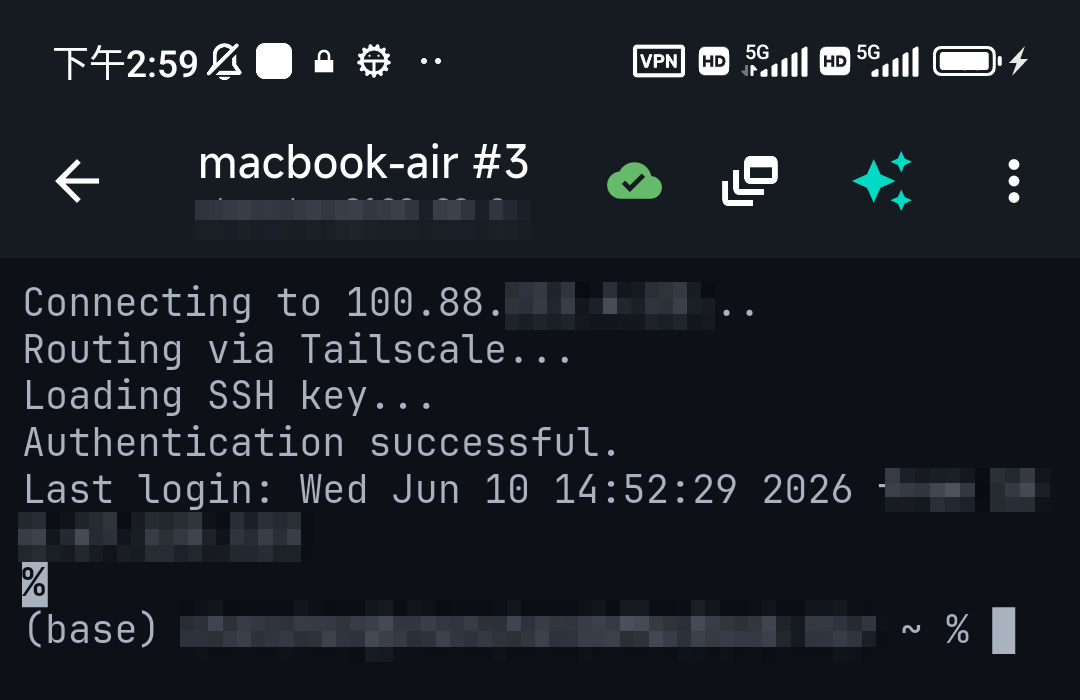
Mobile clients don't expose ssh-agent — they handle the equivalent internally, which is why "remove the passphrase" isn't a thing you need to do there. In TermAI the key lives in the device Keychain, unlocked by the phone's own biometrics/passcode, so you're not retyping a passphrase per connection; the device's secure storage is the agent. You get an encrypted key at rest plus one-tap connections. If you import a passphrase-protected key from your laptop, you enter that passphrase once at import and the phone takes over from there — no need to strip it first.
FAQ
How do I remove a passphrase from an SSH key?
Run ssh-keygen -p -f ~/.ssh/id_ed25519, enter the current passphrase, then press Enter twice to leave the new one empty. The private key file is rewritten unencrypted; the public key is unchanged.
How do I remove the passphrase from an SSH key without any prompts?
Use ssh-keygen -p -P "old passphrase" -N "" -f ~/.ssh/id_ed25519. Only do this in scripts — on an interactive shell it leaks the old passphrase into your history.
Does removing the passphrase change the key or the public key?
No. The key material and fingerprint are identical; only the on-disk encryption of the private key changes. You do not need to re-copy it to servers, re-run ssh-copy-id, or re-upload it to GitHub/GitLab.
Is it safe to remove the SSH key passphrase?
Only when no human is at the keyboard — CI runners, deploy keys, cron/backup jobs. On a laptop it means anyone who copies the file owns your access. Use ssh-agent instead: same convenience, key stays encrypted.
How do I check whether my SSH key has a passphrase?ssh-keygen -y -f ~/.ssh/id_ed25519. If it prints the public key straight away there's no passphrase; if it prompts, there is one.
How do I remove an SSH key passphrase on Windows?
Same command in PowerShell: ssh-keygen -p -f $env:USERPROFILE\.ssh\id_ed25519. For a PuTTY .ppk, load it in PuTTYgen, blank both passphrase fields, and save the private key again.
How do I add the passphrase back / undo this?
Run ssh-keygen -p -f ~/.ssh/id_ed25519 again. With no existing passphrase it skips the "old passphrase" prompt and just asks for the new one.
Why does SSH still ask for a passphrase after I removed it?
You almost certainly removed it from a different key file than the one being offered. Run ssh -v user@host, look at the "Offering public key" lines, and pin the right file with IdentityFile in ~/.ssh/config.
How do I stop SSH asking for my passphrase every time?
Load the key into ssh-agent once with ssh-add ~/.ssh/id_ed25519; it caches the unlocked key for your session. Add AddKeysToAgent yes to ~/.ssh/config to make it automatic.
Should I remove the passphrase instead?
Better not — the passphrase encrypts your private key on disk. Use ssh-agent for convenience and keep the protection.
How do I make the passphrase stick after a reboot?
On macOS use ssh-add --apple-use-keychain and UseKeychain yes; on Windows set the ssh-agent service to start automatically. The key then loads on its own.
How do I change my key's passphrase?
Run ssh-keygen -p -f ~/.ssh/id_ed25519; it changes the passphrase without changing the key itself.
I forgot the passphrase — can I recover it?
No. There is no reset and no backdoor; the private key is encrypted with it. Generate a new key (ssh-keygen -t ed25519), add the new public key to your servers and Git hosts, then remove the old one.
Quick Facts
- Remove it:
ssh-keygen -p -f ~/.ssh/id_ed25519→ old passphrase, then Enter twice - Scripted:
ssh-keygen -p -P "old" -N "" -f ~/.ssh/id_ed25519 - Nothing else changes: public key, fingerprint and
authorized_keysstay valid - Check:
ssh-keygen -y -f key— prompts = encrypted, prints = no passphrase - Better for laptops: keep the passphrase, add
AddKeysToAgent yesto~/.ssh/config - Undo: the same
ssh-keygen -pcommand puts a passphrase back on - PuTTY
.ppk: PuTTYgen → Load → clear both passphrase boxes → Save private key - Mobile: the device Keychain + biometrics is the agent — nothing to strip
Start with Free on iOS or Android. Current connection limits, AI allowances and subscription terms are shown in the app before purchase.