What "UNPROTECTED PRIVATE KEY FILE" means
SSH is refusing to use your private key because the file is readable by other users on the machine. The fix is one command — tighten the file permissions to 600 (owner read/write only):
chmod 600 ~/.ssh/id_ed25519That's it on Linux or macOS. The rest of this guide explains why SSH does this, the Windows version of the fix, and why the whole problem disappears on a properly built mobile client.
The error in full
@@@@@@@@@@@@@@@@@@@@@@@@@@@@@@@@@@@@@@@@@@@@@@@@@@@@@@@@@@@
@         WARNING: UNPROTECTED PRIVATE KEY FILE!          @
@@@@@@@@@@@@@@@@@@@@@@@@@@@@@@@@@@@@@@@@@@@@@@@@@@@@@@@@@@@
Permissions 0644 for '/home/you/.ssh/id_ed25519' are too open.
It is required that your private key files are NOT accessible by others.
This private key will be ignored.
The key line is "This private key will be ignored." — SSH didn't just warn you, it refused to offer the key at all, which is why the connection then fails with Permission denied (publickey).
Why SSH is this strict
A private key is the one secret that proves you are you. If any other user on the machine can read it (which 0644 = owner write, everyone read allows), they can copy it and impersonate you on every server that trusts it. SSH treats a world-readable private key as compromised-by-default and won't touch it. This is a feature, not an annoyance.
The fix on Linux / macOS
chmod 600 ~/.ssh/id_ed25519        # the private key: owner rw only
chmod 644 ~/.ssh/id_ed25519.pub    # the public key can stay readable
chmod 700 ~/.ssh                   # the directory: owner only
chown $USER ~/.ssh/id_ed25519      # make sure you own it
The most common cause is copying a key from another machine, a USB stick, or a cloud drive — the copy lands with default 644 permissions. Re-tightening to 600 fixes it every time. (Same file, wrong end of the connection: if it's authorized_keys on the server that's too open, see the publickey guide instead.)
The fix on Windows
Windows doesn't use chmod; OpenSSH on Windows checks NTFS ACLs instead. The clean fix is to remove inherited permissions and grant only your user:
icacls "C:\Users\You\.ssh\id_ed25519" /inheritance:r
icacls "C:\Users\You\.ssh\id_ed25519" /grant:r "%USERNAME%:R"
Or do it in the file's Properties → Security → Advanced: disable inheritance, remove every entry except your own account.
Why this never happens in a good mobile client
This entire class of error is a filesystem permissions problem — it only exists because the key sits in a regular file that an OS user could read. A well-built mobile SSH client doesn't store keys as loose files: the key lives in the device's secure storage (the iOS/Android Keychain), accessible only to the app. There's no chmod to get wrong, so "UNPROTECTED PRIVATE KEY FILE" simply can't occur.
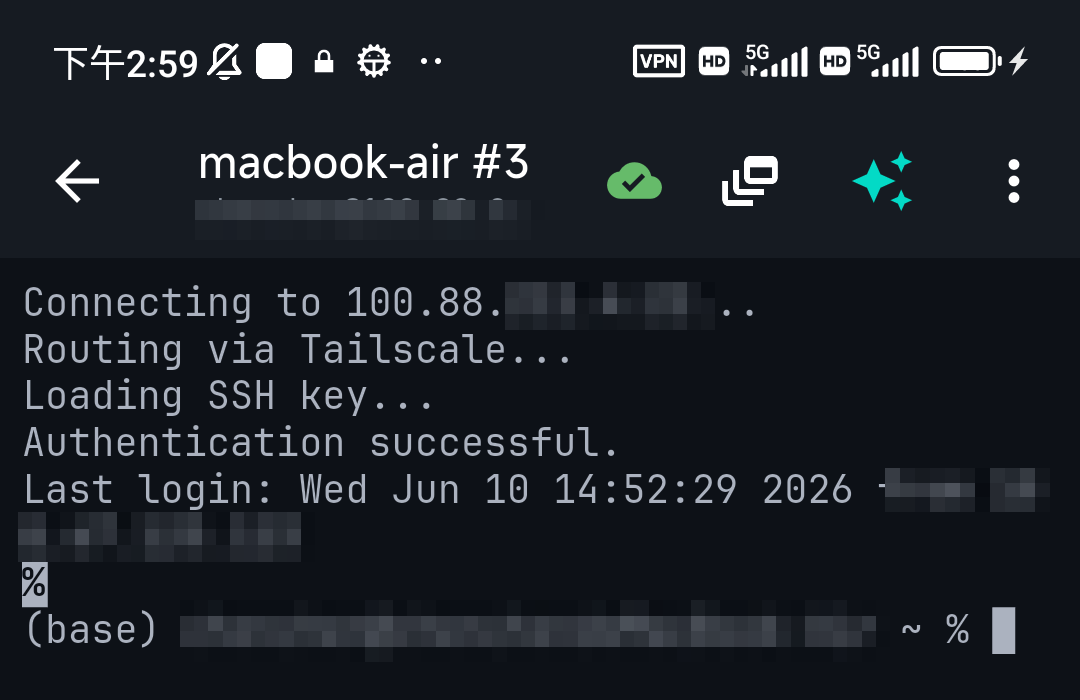
In TermAI the app generates an Ed25519 key for you and stores it securely; you connect with it and, if you need it on a server, use the one-tap deploy to write the public half into authorized_keys. The private key never becomes a file you have to police.
FAQ
How do I fix "UNPROTECTED PRIVATE KEY FILE"?
Run chmod 600 on the private key (and chmod 700 ~/.ssh). On Windows, remove inherited ACLs and grant only your user. SSH then stops ignoring the key.
What permissions should an SSH private key have?600 (owner read/write only). The .ssh directory should be 700, and the public .pub file can be 644.
Why did this start after I copied the key?
Copies from USB drives, cloud storage, or another machine land with default 644 (world-readable) permissions. Re-tighten to 600.
Is it dangerous to ignore?
Yes — a world-readable private key can be stolen by any other user on the machine. Fix the permissions; don't work around the check.
Quick Facts
- Meaning: the private key file is readable by others, so SSH refuses to use it (then fails with publickey)
- Fix (Linux/macOS):
chmod 600 ~/.ssh/id_ed25519,chmod 700 ~/.ssh - Fix (Windows): remove inherited ACLs, grant only your user (
icacls … /inheritance:r) - Correct perms: private key 600,
.sshdir 700, public key 644 - On mobile: keys live in the device Keychain, not a file — this error can't occur
Free on iOS and Android. 5 AI requests/day on the free tier, plus unlimited SSH/SFTP and built-in Tailscale.