Termius vs PuTTY in one line
PuTTY is a free, open-source, no-frills SSH client that has worked essentially the same way since 1999 — a single Windows executable, no account, no cloud, no subscription. Termius is a modern commercial client that runs on Windows, macOS, Linux, iOS and Android, with an end-to-end encrypted vault that syncs your hosts and keys between devices, SFTP, snippets and AI command help. Neither is "better" in the abstract; they're built for different decades and different problems.
The fast rule:
- You SSH from one Windows PC, occasionally, and want zero cost and zero accounts → PuTTY. It is still maintained, still free, and still hard to beat at that job.
- You manage more than a handful of servers, from more than one machine → Termius. The synced host list is the whole point, and it's the thing PuTTY structurally cannot do.
- You also want to reach those servers from your phone → neither PuTTY nor a desktop-first client is the natural answer; a mobile-first client like TermAI is (see below).
Everything below was checked in August 2026: PuTTY 0.84 (released May 2026) and Termius's current published pricing. Prices and versions change — treat each vendor's own page as authoritative. Disclosure: TermAI is our app, and I've tried to state its limits as plainly as its strengths.
Side by side (August 2026)
| PuTTY | Termius | |
|---|---|---|
| Price | Free, open source (MIT) | Free Starter tier; Pro $10/user/mo billed annually (~$120/yr) |
| Latest version | 0.84 (May 2026) | Rolling releases, auto-updating |
| Platforms | Windows binaries; Unix/X11 from source (in most Linux repos). No official macOS build | Windows, macOS, Linux, iOS, Android |
| Account required | ❌ never | Optional for Starter; required for sync |
| Host/key sync | ❌ manual (registry export) | ✅ E2E-encrypted vault, paid tiers |
| Tabs / split panes | ❌ one window per session | ✅ tabs and splits |
| SFTP file transfer | ⚠️ psftp/pscp command line only | ✅ GUI file browser, free tier included |
| SSH agent | ✅ Pageant (separate app) | ✅ built in, plus agent forwarding |
| Key format | .ppk (PuTTY's own; convert with PuTTYgen) | OpenSSH format; can import PuTTY keys |
| Mosh | ❌ | ✅ |
| Serial / Telnet / Rlogin / raw | ✅ all of them | ⚠️ Telnet yes; check current docs for serial |
| Post-quantum key exchange | ✅ ML-KEM since 0.83, NTRU Prime since 0.78 | Not documented publicly — verify if it matters to you |
| Scripting / automation | ✅ plink in batch files | ✅ snippets; automation on paid tiers |
| Mobile | ❌ none, official or otherwise | ✅ iOS + Android |
| AI assistant | ❌ | ✅ autocomplete on the free tier; conversational Agent gated behind a beta programme |
| Built-in Tailscale | ❌ | ❌ |
| Install size | A few MB, single portable .exe | Full Electron-class desktop app (hundreds of MB) |
Two rows carry most of the decision: sync and mobile. If you don't need either, PuTTY's zero-cost, zero-account, runs-from-a-USB-stick model is genuinely hard to argue against. If you need both, no amount of PuTTY tweaking gets you there.
PuTTY in 2026 — free, minimal, and still shipping
The most common wrong assumption about PuTTY is that it's abandoned. It isn't. Version 0.84 shipped in May 2026 with three minor security fixes (a remotely triggerable double-free in RSA key exchange, a crash in NIST ECDSA signature verification, and a trust-sigil fix for Telnet/Rlogin proxy prompts). More interesting: 0.83 (February 2025) added ML-KEM, the NIST-standardised post-quantum key exchange, alongside NTRU Prime which has been there since 0.78. PuTTY's crypto is more current than its dialog boxes suggest.
What you actually get is a small suite, not one app:
- putty.exe — the terminal itself. SSH-2, Telnet, Rlogin, raw sockets, SUPDUP and serial. That last one is why a lot of network engineers will never delete it.
- PuTTYgen — generate and convert keys. Its native format is
.ppk, which nothing else in the SSH world uses; PuTTYgen is also how you convert to and from OpenSSH format. - Pageant — the SSH agent, so you type your passphrase once per session.
- plink — the command-line SSH runner that makes PuTTY scriptable from batch files and scheduled tasks.
- pscp / psftp — file transfer, command line only. There is no drag-and-drop file browser; that's WinSCP's job, and the two are commonly installed together.
The friction is real and it is all about scale. Saved sessions live in the Windows registry under HKCU\Software\SimonTatham\PuTTY, so moving to a new laptop means exporting a .reg file. There are no tabs — five servers means five taskbar windows, which is why wrappers like SuperPuTTY and MTPuTTY exist at all. Settings are per-session and easy to get out of sync. And there is no official mobile version: the "PuTTY" apps in the App Store and Play Store are not from the PuTTY project (more on that here).
Best for: Windows users who want free, minimal, portable and offline; anyone who needs serial console access; scripted jobs via plink.
Trade-off: no sync, no tabs, no GUI file transfer, no mobile, and host management that stops scaling somewhere around a dozen servers.
Termius in 2026 — modern, cross-platform, subscription
Termius is what most people move to from PuTTY, and the pitch is straightforward: one host list, everywhere. Add a server on your Windows desktop, and it's on your MacBook and your phone before you've closed the dialog. Around that sit tabs and split panes, a GUI SFTP browser, snippets, port forwarding, Mosh, tags and groups, and — since 2025 — AI command help.
The security model deserves more attention than most comparisons give it, because "my keys are in someone's cloud" is the standard objection. Per Termius's own security documentation, the vault is end-to-end encrypted with a key derived client-side from your encryption password, authentication uses a modified SRP6a protocol so the password never crosses the network, and Termius staff cannot decrypt your data. That's a credible design. It is still a different threat model from PuTTY, where nothing ever leaves the machine — and if you lose that encryption password, nobody can help you recover the vault. Choose deliberately, not by vibes.
Current pricing (annual billing, per termius.com/pricing):
| Plan | Price | What it gets you |
|---|---|---|
| Starter | Free | SSH, Mosh, Telnet, SFTP, port forwarding, AI autocomplete, unlimited hosts, commercial use — no sync |
| Pro | $10 / user / mo (~$120/yr) | Cloud vault, cross-device sync, snippet automation |
| Team | $20 / user / mo | Shared vaults, shared hosts, member management |
| Business | $30 / user / mo | Advanced controls and compliance |
| Enterprise | Custom | Centralised access at scale |
Three things people get wrong about that table. The free tier is real, not a trial — SFTP and tunnels are included and commercial use is allowed. The paywall is sync: on Starter your hosts and keys live on one device, which is precisely the PuTTY situation you were trying to escape. And month-to-month costs meaningfully more than $10; third-party trackers put it near $19.99, so if you're comparing against free, compare against the annual figure and be honest that it's a commitment. Students with the GitHub Student Developer Pack and maintainers accepted into the open source programme can get paid tiers for nothing.
Best for: people running more than a handful of servers across more than one machine, who want polish and don't mind a subscription.
Trade-off: the feature that justifies the switch is the one behind the paywall. See Termius alternatives if that's a dealbreaker.
The five differences that actually decide it
Feature checklists blur together. In practice five things determine which client you end up using every day.
1. Where your host list lives
PuTTY: the Windows registry, on that one machine. New laptop, second machine at home, work PC — each is a separate island, and keeping them aligned is a manual reg export job. Termius: an encrypted vault that syncs. This is the single biggest reason people switch, and there is no PuTTY configuration that fixes it.
2. Key formats — .ppk vs OpenSSH
PuTTY invented its own private key format, .ppk. Almost nothing else uses it, so a key generated in PuTTYgen won't drop into ~/.ssh/ on a Mac, into Termius, or into a mobile client without conversion. The conversion itself is trivial — open the key in PuTTYgen, then Conversions → Export OpenSSH key — but it's the step that catches people mid-migration. Going the other way, PuTTYgen's Load button imports an OpenSSH private key and saves it as .ppk.
While you're in there: if you're still on an old RSA key, this is the moment to generate ed25519 instead. Smaller, faster, and — see the security section — not affected by the one serious PuTTY key vulnerability of the last few years.
3. Working with more than one server at once
PuTTY is one window per connection, by design. Termius gives you tabs and split panes, so several servers sit side by side in one window, plus snippets you can fire into a session instead of retyping. If your day involves three servers open side by side, this alone is worth more than every other difference combined. If your day is "SSH into the one box, do the thing, close it", it's worth nothing.
4. Moving files
PuTTY's file transfer is pscp and psftp — command-line only. Most PuTTY users pair it with WinSCP for a GUI, which is a fine setup and also free. Termius has an SFTP file browser built into the same app, on the free tier, on desktop and mobile. One app instead of two.
5. Accounts, telemetry and offline use
This one favours PuTTY and rarely gets said out loud. PuTTY has no account, no update service, no telemetry, and runs from a USB stick on an air-gapped machine. In environments where "an SSH client that talks to a vendor cloud" needs a security review before installation, PuTTY sails through and Termius doesn't. Termius's free Starter tier can be used without sync, but the app is still an account-oriented product built around its cloud.
Security: is PuTTY still safe in 2026?
Yes — if you're on a current version, and that caveat is doing real work. The history worth knowing:
- CVE-2024-31497 is the one that matters. PuTTY versions 0.68 through 0.80 generated biased ECDSA nonces, and the first 9 bits of each nonce being zero allowed full recovery of a NIST P-521 private key from roughly 60 signatures. An attacker who could collect signatures — for instance, a server you'd authenticated to — could recover the key. It was fixed in 0.81. Only 521-bit ECDSA keys are affected; other ECDSA sizes, RSA and Ed25519 are not. The same flaw reached FileZilla, WinSCP, TortoiseGit and TortoiseSVN, which shipped the buggy PuTTY code.
Action: if you ever generated a P-521 key in PuTTYgen before 0.81, treat it as compromised. Generate a new key, add it toauthorized_keys(ssh-copy-id is the fast way), verify, then remove the old one. - 0.84 (May 2026) fixed three lower-severity issues, including a remotely triggerable double-free in RSA key exchange. Nothing dramatic, but it's the reason to be on 0.84 rather than 0.83.
- Download from the real place. chiark.greenend.org.uk is the project's site. "PuTTY" download portals bundling installers are a long-running malware vector, and ad-injected typo domains have distributed trojanised builds more than once.
Termius's risk profile is different rather than worse: the crypto is modern and the vault is end-to-end encrypted, but you're trusting a vendor's client-side implementation and accepting that an encrypted copy of your credentials exists off your machine. For most individuals that's a reasonable trade for sync. For an air-gapped or heavily audited environment, it usually isn't.
One thing neither client does for you: verifying host keys the first time you connect. Both show you a fingerprint; both let you click past it. That prompt is the only thing standing between you and a machine-in-the-middle on a network you don't control.
What it costs over five years
Worth doing the arithmetic before the subscription reflex kicks in either direction:
| Year 1 | 5 years | |
|---|---|---|
| PuTTY (+ WinSCP) | $0 | $0 |
| Termius Starter (no sync) | $0 | $0 |
| Termius Pro (annual) | ~$120 | ~$600 |
| TermAI Pro (mobile) | ~$36 | ~$180 |
$600 over five years is nothing if Termius saves you an hour a month, and a lot if you SSH into one server twice a week. That's the honest framing — not "free vs paid" but "what is a synced, cross-device host vault worth to you per year".
Migrating from PuTTY to Termius (without losing anything)
The good news: Termius has a first-class PuTTY importer, so this isn't a manual re-typing exercise.
- On the same Windows machine: in Termius desktop, go to the Hosts screen, open the New Host dropdown, choose Import, and pick PuTTY as the source. Select what you want and import — connections, tunnels and keys come across into your Personal vault.
- Moving to a different machine (or to Mac/Linux): export PuTTY's registry branch first. In PowerShell:
reg export HKCU\Software\SimonTatham ([Environment]::GetFolderPath("Desktop") + "\putty.reg")
Then drag the.regfile into the same Import dialog on the other machine. - Convert any
.ppkkeys you're moving by hand: PuTTYgen → Load the key → Conversions → Export OpenSSH key. Do it on-device; never email a private key to yourself. - Don't uninstall PuTTY yet. Two SSH clients coexist happily. Connect to every important host from Termius on a fresh session before you remove anything — especially anything using a jump host, an agent-forwarded key or a tunnel, since those are the settings most likely not to survive a move.
- Then decide about keys. A migration is a good excuse to rotate to ed25519 per device: add the new public key while old access still works, verify, revoke the old one last. Keep a provider console (DigitalOcean/Hetzner/Proxmox/IPMI) reachable as your undo button.
Also worth importing: Termius can read an existing ~/.ssh/config and known_hosts, so if you've accumulated OpenSSH config on a Mac or Linux box alongside PuTTY on Windows, both sides come in.
"Is there a PuTTY for iPhone or Android?" — no, and here's what to use
A large share of Termius vs PuTTY searches come from people who discovered PuTTY has no mobile version. To be unambiguous: the PuTTY project has never released an iOS or Android app. Apps in either store using the PuTTY name or logo are third-party — some are harmless wrappers, some are ad-laden, and an SSH client is the worst possible category in which to trust an unknown publisher with your private keys.
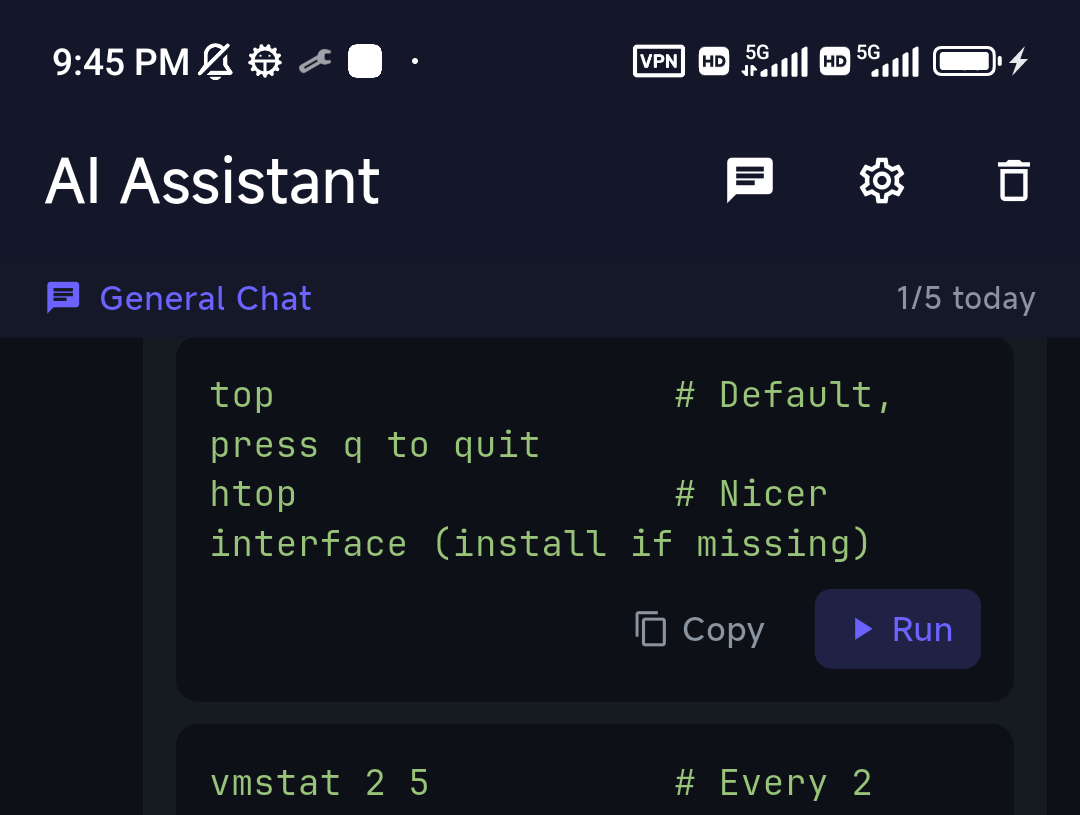
For the phone, a mobile-first client is the right answer rather than a desktop client scaled down. TermAI is built for it: an AI assistant inside the terminal (describe the task in plain language, read the command, tap Run), built-in Tailscale so you can reach a home server or firewalled VPS without exposing port 22, the same app on iOS and Android, and sync included on the free tier. Free tier covers unlimited SSH and SFTP plus 5 AI requests a day; Pro is $2.99/month.
The honest limit: TermAI has no desktop app. If your requirement is one synced host list spanning a Windows PC and a phone, that's Termius's job, and I'd rather say so than waste your afternoon. A pattern that works well and costs less: keep PuTTY (or Windows Terminal) free on the desktop, and use a cheap phone-first client on mobile. You give up the single unified vault; you save about $100 a year. More on the phone side of this in best SSH client for iPhone and best SSH app for Android, and on why suggest-then-confirm is the right AI default in letting AI run shell commands safely.
One mobile caveat that applies to every client: iOS suspends backgrounded apps, so a plain SSH session dies when you lock the screen. Mosh or a server-side tmux session is the fix.
If neither one fits: the rest of the field
"Termius vs PuTTY" is a false binary more often than people realise. On Windows in 2026 you also have:
- Windows Terminal + built-in OpenSSH — Windows has shipped an OpenSSH client since Windows 10 1809, and Windows 11 ships Windows Terminal by default. Typing
ssh user@hostand keeping a~/.ssh/configis free, native, tabbed, and the closest thing to how Mac and Linux users already work. For many people this, not Termius, is the real PuTTY replacement. - MobaXterm — PuTTY's power-user cousin: tabs, X11 server, built-in SFTP pane, and a bundled Unix toolset. Free Home edition with limits, paid Professional. See Termius vs MobaXterm.
- Tabby — free, open source, cross-platform, with an SSH connection manager and optional config sync. The open-source answer to Termius's shape: Termius vs Tabby.
- WinSCP — not a terminal replacement, but the GUI file transfer PuTTY lacks; it integrates with PuTTY directly.
- Tailscale SSH — if the actual problem is reaching machines behind NAT, the network layer may be a better fix than the client: how it works.
The broader roundup is in the best SSH client in 2026.
How to pick, in thirty seconds
- Free, minimal, one Windows PC, no account → PuTTY (0.84).
- Serial console, Telnet, legacy gear, air-gapped machines → PuTTY. Nothing else covers this as cheaply.
- Free and modern on Windows, no subscription → Windows Terminal + OpenSSH.
- Many servers, several computers, one synced host list → Termius Pro.
- Shared host lists across a team → Termius Team (or a bastion product if you need audit trails).
- SSH from a phone, with AI help and built-in Tailscale → TermAI.
- Windows desktop + phone, cheaply → free desktop client + TermAI on mobile.
FAQ
Is Termius better than PuTTY?
For cross-platform work, multiple servers and a modern workflow — yes, clearly. Sync, tabs, GUI SFTP and mobile apps are things PuTTY simply doesn't have. But PuTTY is free, needs no account, runs offline from a USB stick, and does serial consoles. If you SSH into one box from one Windows PC, Termius is solving a problem you don't have.
Is PuTTY better than Termius?
On four specific counts, yes: cost ($0 forever), footprint (a few MB, portable, no installer required), independence (no account, no cloud, no telemetry — which matters in audited environments), and legacy protocol support (serial, Rlogin, raw sockets). On everything else — sync, mobile, tabs, file transfer, UI — Termius wins.
What is the latest version of PuTTY, and is it still maintained?
PuTTY 0.84, released in May 2026 with three minor security fixes. It's actively maintained by Simon Tatham: 0.83 added ML-KEM post-quantum key exchange in February 2025. Download only from chiark.greenend.org.uk.
Is PuTTY still safe to use in 2026?
Yes on a current version. The important caveat is CVE-2024-31497: PuTTY 0.68–0.80 generated biased ECDSA nonces, letting an attacker recover a NIST P-521 private key from about 60 signatures. Fixed in 0.81; Ed25519 and other key types are unaffected. If you generated a P-521 key with an old PuTTYgen, rotate it.
How much does Termius cost in 2026?
Pro is $10 per user per month billed annually (~$120/year); month-to-month is reported near $19.99. Team is $20/user/month, Business $30. The free Starter plan is permanent and includes SSH, SFTP, tunnels and AI autocomplete — but not sync. Students (GitHub Student Developer Pack) and accepted open-source maintainers can get paid features free.
Is Termius free like PuTTY?
There's a free tier, but it isn't equivalent. Termius Starter gives you the client without cross-device sync, which is the main reason to leave PuTTY in the first place. If your budget is genuinely $0 and you want something more modern than PuTTY, Windows Terminal + OpenSSH or Tabby are better answers than a crippled Termius tier.
Can I import my PuTTY sessions into Termius?
Yes. In Termius desktop: Hosts → New Host dropdown → Import → PuTTY. It brings over connections, tunnels and keys. To move them to another machine, export the registry branch first with reg export HKCU\Software\SimonTatham … and drag the resulting .reg file into the import dialog. Termius can also import an existing ~/.ssh/config.
Can Termius use my .ppk keys?
The PuTTY importer handles keys for you. If you're moving a key by hand instead, convert it in PuTTYgen: Load the .ppk, then Conversions → Export OpenSSH key. The reverse works too — PuTTYgen can load an OpenSSH key and save it as .ppk.
Does PuTTY have tabs?
No. Each session opens its own window. Third-party wrappers (SuperPuTTY, MTPuTTY) add tabs around PuTTY, or you switch to a client with tabs built in — Termius, MobaXterm, Tabby or Windows Terminal.
Is there a PuTTY for Mac?
There's no official macOS build. You can install the command-line pieces via Homebrew (brew install putty, which gives you plink, pscp and friends) and run the GUI via X11/XQuartz, but almost nobody should: macOS already ships OpenSSH, so ssh user@host in Terminal does the job. If you want a GUI host manager on a Mac, Termius is the direct answer.
Is there a PuTTY for iPhone or Android?
No official one, and there never has been. Use a maintained mobile SSH client — Termius or TermAI — rather than a store app borrowing the PuTTY name. Details in PuTTY for Android & iPhone.
Which is faster or lighter?
PuTTY, by a wide margin. It's a native Windows binary of a few megabytes that opens instantly; Termius is a full desktop application in the hundreds of megabytes. On a modern machine you won't notice during a session, but on an old PC, a locked-down VM, or a jump box you're allowed to copy a single file onto, PuTTY wins outright.
Does Termius store my SSH keys in the cloud?
On paid tiers, yes — in a vault that's end-to-end encrypted with a key derived client-side from your encryption password, with SRP6a authentication so the password itself never crosses the network. Termius states its staff cannot decrypt it. The flip side: lose that password and the vault is unrecoverable. On the free Starter tier nothing syncs, so keys stay on the device.
What do sysadmins actually use in 2026?
It's split. Windows-centric admins increasingly use Windows Terminal + OpenSSH for daily work and keep putty.exe around for serial consoles and odd legacy gear. Teams managing shared fleets buy Termius or move to a bastion/certificate product entirely. PuTTY hasn't been displaced so much as narrowed to what it's still uniquely good at.
Does either one work over Tailscale or a VPN?
Both work fine over any VPN that's already up — they just see a routable address. Neither has Tailscale built in, so you run the Tailscale client alongside. On mobile that second background app is a real annoyance, which is why TermAI ships Tailscale in-app; on a desktop it's a non-issue.
Quick Facts
- PuTTY: free, open source, latest version 0.84 (May 2026), Windows binaries + Unix source, no account, no sync, no mobile
- Termius: Windows/macOS/Linux/iOS/Android, E2E-encrypted synced vault, GUI SFTP, tabs, Mosh, AI autocomplete on the free tier
- Termius pricing (Aug 2026): free Starter without sync; Pro $10/user/mo billed annually (~$120/yr); Team $20; Business $30
- The real dividing line: sync and mobile. PuTTY cannot do either; everything else is preference
- Security note: CVE-2024-31497 affected PuTTY 0.68–0.80 — rotate any NIST P-521 key generated with an old PuTTYgen. Ed25519 unaffected
- Migration: Termius imports PuTTY connections, tunnels and keys directly; use
reg export HKCU\Software\SimonTathamto move them between machines - Key formats: PuTTY uses
.ppk; convert with PuTTYgen → Conversions → Export OpenSSH key - Free modern alternative on Windows: Windows Terminal + built-in OpenSSH (shipped since Windows 10 1809)
- For phones: TermAI — mobile-first, AI assistant, built-in Tailscale, sync on the free tier, $2.99/mo Pro. No desktop app
- Warning: app-store "PuTTY for mobile" apps are not official — the project has never shipped one
Free on iOS and Android. 5 AI requests/day on the free tier, plus unlimited SSH/SFTP and built-in Tailscale.