Best SSH client for Android: choose by the job
An Android SSH client lets you connect from your phone to a Linux server, Raspberry Pi, NAS, or computer running an SSH server. Choose ConnectBot for free, open-source remote access without an account; Termius for a graphical client with paid desktop sync; Termux with OpenSSH for command-line SSH and local tools; or TermAI for mobile SSH, SFTP, and AI command help.
There is no single best Android SSH client for every workflow. Start with the features you need, then check the installation channel, key handling, and behavior on your phone. Disclosure: TermAI is our app. These recommendations compare documented capabilities, not a claimed hands-on benchmark.
- Best free SSH app for Android without an account: ConnectBot.
- Best for phone and desktop host sync: Termius, with a paid plan.
- Best Android SSH terminal for scripting: Termux plus OpenSSH.
- Best fit for AI-assisted mobile administration: TermAI.
- Looking for PuTTY for Android? There is no official Android port; use a mobile SSH client or OpenSSH in Termux.
Jump to the app comparison, Termux vs Termius, how to SSH from Android, or the FAQ.
Android SSH apps compared: prices, versions, and availability
Sources checked on October 14, 2026. GitHub release versions describe that channel, not necessarily the version offered by Google Play or F-Droid. Store prices can vary by region, taxes, and billing option.
| Android SSH app | Price / plan | Use it for | Important limitation or status |
|---|---|---|---|
| TermAI | Free tier; check in-app paid pricing | SSH, SFTP, AI assistance, built-in Tailscale | Mobile client; Tailscale unavailable in the China build |
| Termius | Starter free; Pro $10/month when paid annually | Graphical SSH and SFTP; paid desktop/mobile sync | Free Starter uses a local vault |
| ConnectBot | Free, open source | SSH sessions and port forwarding without a cloud account | GitHub latest release: v1.11.1; not a graphical SFTP file manager |
| Termux + OpenSSH | Free, open source | Local shell, command-line SSH, SFTP, scripts | Main app GitHub latest release: v0.118.3; Play is a separate experimental branch |
| JuiceSSH | No current purchase recommendation | Existing installations only | Public Play listing reported removed in December 2025; tracked last version 3.2.2 |
Sources: TermAI features and free plan, Termius pricing, ConnectBot v1.11.1, Termux v0.118.3, and AppBrain's JuiceSSH listing history. For the installed Android version, check the official store listing and the app’s About screen. TermAI’s pricing page lists its current plans; confirm local store pricing and the AI allowance before subscribing.
SSH on Android: client, local terminal, or server?
SSH from Android means the phone initiates a connection to another machine. A client is enough; you do not need root or an SSH server on the phone. Commands in that connection execute on the remote machine, using the remote user's permissions.
An Android terminal can instead mean a shell running locally on the phone. Termux provides that environment and can also become an SSH client when you install OpenSSH. Its local shell does not automatically give you Android root access or a full desktop Linux installation.
SSH into Android reverses the direction: a laptop connects to the phone. That requires a server such as Termux's sshd. The server setup below is separate from choosing a remote-access app.
TermAI: mobile SSH with AI command help
Choose TermAI if you want to review AI command suggestions alongside a remote session. Its documented free plan includes unlimited SSH connections, SFTP, five AI requests a day, and built-in Tailscale. It has iOS and Android clients and an Android local terminal; there is no desktop client. See the current feature and plan description.
Check the build you install: Tailscale is disabled in the China build. Review suggested commands and remove secrets from output sent to AI; the service can receive selected output and session context. For pricing and allowances beyond Free, check the in-app offer.
Termius: SSH client for Android with desktop sync
Termius suits people who want graphical host management on Android and a desktop. Its free Starter plan lists SSH, SFTP, port forwarding, AI autocomplete, and a local vault, with commercial use permitted. Pro adds cloud sync across mobile and desktop at $10/month when paid annually, equivalent to $120 for a year before applicable taxes. Confirm the checkout total rather than treating that as a month-to-month quote. Source: Termius plans.
For a single phone, start with Starter and check whether it covers your workflow. Pay for synchronization if that is what you need. See Termius free vs paid and TermAI vs Termius.
ConnectBot: free, open-source Android SSH client
ConnectBot is a useful choice when you want remote sessions and tunnels without a subscription or cloud account. Its official repository links to Google Play and GitHub downloads. Prefer a stable release over the automated prerelease builds labeled untested.
The latest GitHub release checked here is v1.11.1, which includes host-key management and fixes for jump-host chains and connection teardown. Older descriptions of ConnectBot as an abandoned app are misleading. It is not a graphical SFTP browser: use a remote editor for text files, or choose another app when browsing and transferring files is central to your work. See Termius vs ConnectBot.
Termux: an Android SSH terminal with OpenSSH
Termux is a terminal environment rather than a graphical connection manager. With OpenSSH installed, it is a fully usable command-line SSH client for Android. You can keep host aliases in ~/.ssh/config, manage keys with ssh-keygen, and transfer files with sftp or scp. It also has a configurable extra-keys row; saying it has no Ctrl, Esc, or Tab support would be incorrect. See Termux's key controls.
For installation, the official instructions recommend F-Droid or GitHub for most users. Google Play now has a separate experimental build for Android 11 and later, with differences and missing functionality. Keep Termux and its plugins from the same source because signatures differ. Back up your files before uninstalling to switch channels.
Read running Linux on Android if you also want local tools, or ConnectBot vs Termux for the graphical-client alternative.
Termux vs Termius: which is better for SSH on Android?
Choose Termius for saved hosts, graphical key management, an SFTP interface, and paid synchronization with desktop devices. Choose Termux for OpenSSH commands, configuration files, scripting, and tools that run locally on your phone. Both can connect to the same SSH server; the difference is the workflow.
| Task | Termux + OpenSSH | Termius |
|---|---|---|
| Save a server | Host alias in ~/.ssh/config | Graphical saved host |
| Manage a private key | Key files, permissions, and ssh-keygen | App key-management interface |
| Transfer files | sftp / scp commands | Graphical SFTP interface |
| Run scripts locally | Local shell and installable packages | Use Termux if you need a local package environment |
| Reach a bastion | OpenSSH -J / ProxyJump | Check jump-host support in your installed version and plan |
| Synchronize hosts with a laptop | Manage your configuration separately | Paid cloud sync |
For an occasional server restart, a graphical app can reduce typing. If you already use OpenSSH configuration on a laptop, Termux lets you use familiar commands. Neither choice requires root, and Termux does not replace the SSH server on the destination. More in Termius vs Termux.
JuiceSSH: check availability before following an old roundup
AppBrain records JuiceSSH's removal from Google Play on December 11, 2025, and its last update as version 3.2.2 on February 4, 2021. That is third-party listing history, not a developer explanation for removal. The reason should not be stated as established fact.
Existing users may still have an installation or access through their Play library; this does not make it a dependable new-install recommendation. Prefer a maintained client from an official distribution channel. When migrating, authorize and test your new phone key before removing the old key. See JuiceSSH availability and JuiceSSH alternatives.
PuTTY for Android: can you use your Windows sessions and keys?
There is no official PuTTY for Android. PuTTY's own project covers Windows and Unix; apps using its name are not automatically official. Check the publisher and download source. Sources: PuTTY FAQ and official platform description.
Recreate a saved PuTTY session using its hostname, port, and username in ConnectBot, Termius, or TermAI. For a .ppk private key, use PuTTYgen on a trusted computer to export an OpenSSH private key if your chosen app requires that format. Preserve the passphrase and transfer it securely; a public .pub file alone cannot authenticate the client. Alternatively, create a separate phone key and authorize its public half on the server. See the PuTTY migration guide.
How to SSH from Android, step by step
You need a reachable machine running an SSH server, its address and port, a valid username, and an authorized key or an allowed password. Installing an Android SSH app does not enable SSH on the destination.
- Prepare the destination. Enable its SSH server and confirm access from a trusted device. For Windows, install and enable OpenSSH Server; for macOS, enable Remote Login for the intended user; for a Raspberry Pi, enable SSH and use the username you configured.
- Choose the network path. On the same LAN, use the server's private address. From mobile data, use a reachable public address or an authorized VPN/mesh route. A private LAN address is not directly reachable over the internet.
- Add a host in the Android app. Enter the actual address, SSH port (usually 22), and username. Do not assume
rootorpiis allowed. - Configure authentication. Import a supported private key or generate a phone-specific key. Put the public key on the server in that user's
~/.ssh/authorized_keys. Use a password only if the server permits password authentication. - Verify the host key. Compare the displayed fingerprint with a trusted server console or administrator before accepting it. A changed fingerprint needs investigation, not automatic acceptance.
- Check where you connected. Run
whoamiandhostnamebefore changing anything. Try the app's Ctrl, Esc, Tab, and arrow controls.
From a trusted Linux server console, this displays the Ed25519 host-key fingerprint if that key exists:
ssh-keygen -lf /etc/ssh/ssh_host_ed25519_key.pubCompare the same key type on the phone. If the server offers another host-key type, obtain that key's fingerprint instead. More in SSH from Android and connecting to a Raspberry Pi.
SSH from Android using Termux commands
Install OpenSSH, then connect using your real server address. server.example.com and the usernames below are placeholders:
pkg update
pkg install openssh
ssh [email protected]
ssh -p 2222 [email protected]
ssh -i ~/.ssh/id_ed25519 [email protected]
The second connection shows a custom port; the third selects a private key. For a saved alias, create ~/.ssh/config with:
Host homelab
    HostName server.example.com
    User alice
    Port 22
    IdentityFile ~/.ssh/id_ed25519
Then use ssh homelab or sftp homelab. Keep private keys in Termux's private home directory rather than shared Android storage. Restrict access with chmod 700 ~/.ssh and chmod 600 ~/.ssh/id_ed25519. Protect the key with a passphrase.
What makes an Android SSH terminal usable?
- Special keys: Ctrl+C to interrupt, Tab for completion, Esc for editors, and arrows for history. Check Bluetooth keyboard handling too.
- Terminal rendering: open the remote tools you actually use, such as
nano,vim, ortmux, and check colors, cursor movement, and resizing. - Readable output: font size, landscape mode, selection, and scrolling matter on a narrow screen. Resizing can reflow output differently across apps.
- Safe paste: inspect multiline text before sending it; pasted newlines can execute commands.
- File workflow: choose a graphical SFTP browser if touch-based upload and download matter, or command-line SFTP in Termux if you prefer scripts.
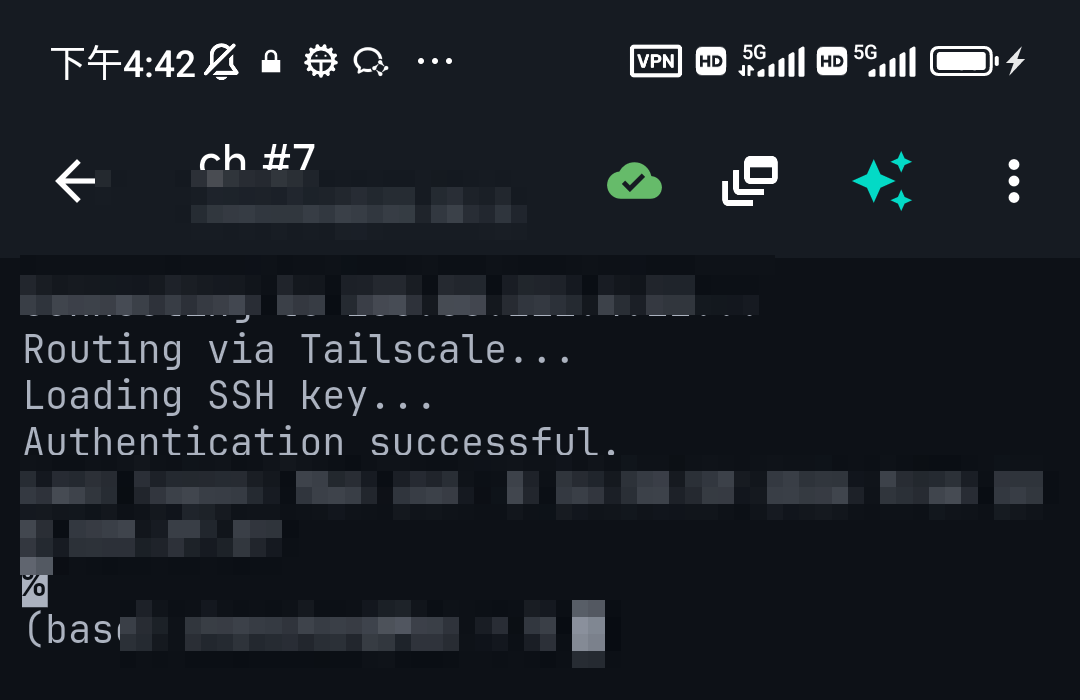
Android SSH troubleshooting and edge cases
Connection refused, timeout, or permission denied?
- Connection refused: verify the SSH service is listening at the address and port you entered. A rejecting firewall can also cause this.
- Timeout: check routing, VPN access, firewall rules, and whether the address is reachable from mobile data. On guest Wi-Fi, client isolation can block LAN devices.
- Permission denied: confirm the username, selected key, and server authentication policy. The public key belongs in the destination user's account, not another user's home directory.
- Host-key warning: verify whether the server was rebuilt or its address reassigned. Do not bypass the warning merely to get connected.
- Old server rejects modern keys: check supported algorithms and update the server where possible. Avoid globally enabling obsolete algorithms to solve one host's problem.
See connection refused and SSH troubleshooting for diagnosis.
Screen off, app switching, and Wi-Fi to mobile-data changes
Android can defer background networking through Doze and App Standby; manufacturer battery settings can add restrictions. This is not a feature introduced only in Android 16. Check the client's background settings and, if needed, the phone's per-app battery policy. Exemptions can increase battery use and do not guarantee a persistent connection. Source: Android's Doze documentation.
Reconnecting SSH starts a new transport connection; it does not restore an ordinary shell's state. For work that must survive disconnection, run tmux new -s maintenance on the remote server, then reconnect with tmux attach -t maintenance. The server must have tmux installed. Mosh is another option for roaming networks, but requires a compatible client, a server-side component, and reachable UDP ports. See Mosh vs SSH.
Private servers, bastions, and port forwarding
For a home server behind NAT or carrier-grade NAT, use an authorized VPN/mesh connection or an existing bastion. A Tailscale-capable client still needs a reachable tailnet destination and access rules permitting the connection. Do not assume an Android app alone exposes your home server.
In Termux, ssh -J [email protected] [email protected] connects through a bastion. Agent forwarding is a separate feature; it is not required for ProxyJump and exposes signing access to a forwarded agent while connected. Enable it only for trusted hosts when needed.
A local tunnel such as ssh -L 8080:127.0.0.1:80 [email protected] forwards a phone-local port to the server's loopback web service. Use the phone browser at http://127.0.0.1:8080; keep the SSH connection open and bind tunnels locally unless you intentionally need sharing.
Private keys, biometrics, and AI privacy
Check each app's actual storage and backup documentation. A biometric unlock screen is not proof that an imported SSH key is hardware-backed in Android Keystore. Use a separate passphrase-protected phone key, keep the phone locked, and have another way to revoke the key if the phone is lost. Check whether cloud sync copies credentials and whether AI features send terminal output outside the device.
SSH into Android: run a server in Termux
To connect from a laptop into the phone's Termux environment, install OpenSSH in Termux and authorize the laptop's public key in ~/.ssh/authorized_keys. Set that directory to mode 700 and the file to mode 600, then start sshd. Get the Termux username with whoami.
pkg install openssh
whoami
sshd
From the laptop, use ssh -p 8022 username@phone-address, substituting the username and a reachable phone address. Termux's server default is 8022; the remote servers you connect to still normally use 22. Source: Termux OpenSSH packaging. Keep the phone reachable on the LAN or an authorized VPN. Android background restrictions still apply, and the resulting shell has Termux's app permissions, not unrestricted access to every app's data.
Need an Android and iPhone SSH app?
TermAI and Termius support both mobile platforms. Termius also has desktop clients; ConnectBot and Termux serve Android. If you switch platforms, verify how keys and hosts move rather than assuming cloud sync is free or enabled. See iPhone SSH clients and iPad SSH clients.
How to pick your Android SSH app
Use ConnectBot for account-free remote sessions, Termius for graphical management and paid desktop sync, Termux for local tools and OpenSSH configuration, or TermAI for mobile AI help. Before relying on any app, connect to a noncritical host, verify its fingerprint, try your key, transfer a harmless file if needed, and check reconnection after locking the screen. These are suggested checks, not claims that we ran a device benchmark.
Android SSH FAQ
What is the best SSH client for Android?
The best fit depends on the job: ConnectBot for free account-free SSH, Termius for paid desktop sync, Termux with OpenSSH for command-line workflows, and TermAI for mobile AI assistance. Use the comparison above to choose by features rather than a universal ranking.
Can I use SSH on Android without root?
Yes. An SSH client for Android runs as a normal app. Your remote permissions depend on the server account. Root on the phone is unnecessary for outgoing connections or Termux's server on port 8022.
How do I SSH from Android to a server?
Install a client, enter the reachable host, SSH port, and username, configure an authorized key or allowed password, and verify the host fingerprint before connecting. In Termux, install OpenSSH and run ssh username@hostname. The destination must already run an SSH server.
Is an Android SSH terminal the same as a local Android terminal?
No. A remote SSH terminal runs commands on the connected server. A local terminal runs commands on the phone. Termux provides a local environment that can also launch SSH; graphical SSH apps focus on managing remote connections.
What is the best free SSH app for Android?
ConnectBot is a free open-source graphical option without a cloud account. Termux plus OpenSSH is free for command-line use. Termius Starter and TermAI also offer free tiers; check the features and limits in the comparison before choosing.
Termux vs Termius: which should I install?
Install Termius for graphical host management and an SFTP interface. Install Termux for OpenSSH commands, scripts, and local packages. You can use both: they solve different parts of an Android administration workflow.
Is there an official PuTTY for Android?
No. Recreate your sessions in an Android SSH app, or use OpenSSH in Termux. If needed, convert your PuTTY private key to OpenSSH format with PuTTYgen on a trusted computer before importing it.
Can an Android SSH app transfer files?
Yes, if it supports SFTP. TermAI and Termius list SFTP, while Termux offers command-line SFTP through OpenSSH. ConnectBot is primarily for sessions and forwarding rather than graphical file browsing.
Can I SSH from Android over mobile data?
Yes, when the destination is reachable. A home LAN address usually requires a VPN/mesh route or bastion when you leave Wi-Fi. Check network access rules; changing networks can break an existing SSH session.
Why does SSH on Android disconnect when the screen turns off?
Battery restrictions, network changes, and server timeouts can interrupt the connection. Check battery and client keepalive settings, but use remote tmux for persistent work: reconnecting alone does not recover the original shell.
Can I SSH into my Android phone?
Yes. Run an SSH server in Termux, authorize your laptop's public key, and connect to the reachable phone address on port 8022. This exposes the Termux environment, not a rooted Android system.
Should I install Termux from Google Play?
The project's instructions recommend F-Droid or official GitHub for most users. Play offers a separate experimental branch for Android 11 and later. Keep plugins from the same distribution source and back up before changing channels.
Is JuiceSSH still a good new-install choice?
It is not our recommendation for new users: its public Play listing is reported removed and its tracked last update is from 2021. Existing-user availability may differ. Choose an officially distributed, maintained alternative.
Is SSH on Android safe for server administration?
SSH encrypts the connection, but security also depends on verifying host keys, protecting credentials, and installing a trusted client. Use a separate phone key and inspect commands before running them. AI suggestions do not replace that review.
Quick facts
- Page: best SSH app and SSH client for Android.
- Outgoing SSH: no phone root or phone-side SSH server required.
- Termux: a local terminal that becomes an SSH client with OpenSSH.
- Desktop sync: Termius offers it on paid plans.
- Persistent remote jobs: use server-side tmux; reconnection is not session restoration.
- PuTTY: no official Android port.
Start with Free on iOS or Android. Current connection limits, AI allowances and subscription terms are shown in the app before purchase.
Continue from this guide