What "Connection refused" means
"Connection refused" is a network-level rejection: your packets reached the machine (or a firewall in front of it), and something actively answered "nothing is listening here" — a TCP reset, which your client reports as ECONNREFUSED. That makes it different from Permission denied (auth failed after connecting) and from a timeout (no answer at all — usually wrong IP, host down, or a firewall silently dropping). Refused is the good news error: it proves something is alive at that address and reachable from where you are.
The wording varies by client, but it is always the same TCP failure:
ssh: connect to host 192.168.1.42 port 22: Connection refused   # OpenSSH: Linux, macOS, iOS, Android
ssh: connect to host example.com port 22: Connection refused    # same thing with a hostname
Network error: Connection refused                                # PuTTY on Windows
channel 2: open failed: connect failed: Connection refused       # a port-forward, not the SSH login itself
Note two things about when it happens. First, it appears instantly — under a second. If your client sits there for 30 seconds or more before failing, you have a timeout, not a refusal, and the causes are completely different. Second, it happens before any banner, password prompt, or key exchange, so your username, password, and SSH key cannot be the cause. If you got as far as a prompt, see Permission denied (publickey); if sshd answered and then hung up, see Connection closed by remote host.
The causes, most likely first
Almost every refusal is one of these. The classic four come first, but the bottom half of the table is where the stubborn cases live — and it's the half most guides skip.
| # | Cause | Typical situation | Fastest check |
|---|---|---|---|
| 1 | sshd not running (or not installed) | Fresh Pi, Ubuntu Desktop, WSL, minimal image | systemctl status ssh on the box |
| 2 | Wrong port | SSH was moved off 22 for noise reduction | nc -vz host 22 vs nc -vz host 2222 |
| 3 | Firewall rule set to REJECT | ufw/iptables/cloud rule that refuses rather than drops | sudo ufw status verbose |
| 4 | Wrong host at that address | DHCP handed the box a new IP; you hit a printer | Router device list, hostname -I on the box |
| 5 | sshd bound to localhost only | ListenAddress 127.0.0.1 in sshd_config | ss -tlnp shows 127.0.0.1:22, not 0.0.0.0:22 |
| 6 | sshd died on a config error | Refused right after you edited sshd_config | sudo sshd -t, journalctl -u ssh -n 50 |
| 7 | fail2ban / CrowdSec banned your IP | Worked fine, then refused after failed logins | sudo fail2ban-client status sshd |
| 8 | Port forward points at nothing | Router forwards 22 to a LAN IP that moved | Router's port-forward table vs the box's current IP |
| 9 | Container/VM with no sshd or no published port | Docker, WSL, Vagrant, Multipass | docker ps port mapping; ss -tlnp inside |
| 10 | Host still booting, or out of disk/memory | Instance just started or is thrashing | Provider console/serial console, not SSH |
1 — Is sshd actually running?
You need another way onto the box: a monitor and keyboard, the provider's web console or serial console, or another machine you can already reach. Then:
sudo systemctl status ssh      # Debian, Ubuntu, Raspberry Pi OS
sudo systemctl status sshd     # RHEL, Fedora, Rocky, Alma, Arch, openSUSE
sudo systemctl enable --now ssh

ss -tlnp | grep ':22'          # the real question: is ANYTHING listening?
That last line is the one that ends arguments. If it prints nothing, no service owns port 22 and every refusal is explained. If it prints 0.0.0.0:22 and [::]:22, sshd is listening on all interfaces and your problem is further out — a firewall or the wrong address.
Three traps live in this step:
- The package isn't installed at all. Ubuntu Desktop, many minimal cloud images, WSL distros, and slim containers ship the SSH client but not the server.
sudo apt install openssh-server(ordnf install openssh-server) then enable it. Ubuntu Server images normally include it already. - "inactive (dead)" can be perfectly normal. On Ubuntu 22.10 and newer, OpenSSH uses systemd socket activation:
ssh.socketholds port 22 and only spawns sshd when a connection arrives. Sosystemctl status sshshowing inactive is expected, and the unit you actually care about issystemctl status ssh.socket. If that socket is stopped, disabled, or masked, you get refused with a perfectly healthy-lookingssh.service. - It was fine until you edited the config. A syntax error means sshd refuses to start on restart, and the listener disappears.
sudo sshd -tvalidates the file and names the offending line;sudo journalctl -u ssh -n 50 --no-pagershows why it exited. Fix, thensudo systemctl restart ssh.
Fresh installs are the single most common version of this error. Raspberry Pi OS ships with SSH disabled deliberately — enable it once and it persists (details in the platform section below and in enabling SSH on a Pi).
2 — Right port?
If SSH was moved off 22 (a common noise-reduction step), connecting to 22 gets refused instantly while the real port works fine. Check the port field in your connection profile, then probe from any machine on the same network:
nc -vz host 22
nc -vz host 2222
nc -zv host 22-2222 2>&1 | grep succeeded   # sweep a range if you've forgotten
On the box itself, sudo ss -tlnp | grep sshd tells you the truth in one line: which address and which port sshd owns. Two subtleties account for most "but I set the port!" cases:
- Socket activation ignores your
Portline. On Ubuntu 22.10+, changingPortin/etc/ssh/sshd_configalone may not move the listener, becausessh.socketis what binds the port. You have to override the socket too:
The emptysudo systemctl edit ssh.socket # in the editor, add: [Socket] ListenStream= ListenStream=2222 sudo systemctl daemon-reload sudo systemctl restart ssh.socket ss -tlnp | grep 2222ListenStream=clears the inherited port 22; the second line sets the new one. Skip it and you'll swear the config is being ignored — because it is. - ListenAddress is scoped too narrowly.
ListenAddress 127.0.0.1means sshd accepts only local connections, sossh localhoston the box works while every LAN or internet attempt is refused.ss -tlnpshowing127.0.0.1:22instead of0.0.0.0:22is the giveaway. The same applies if it's pinned to an interface address the box no longer has.
3 — Firewall rejecting
Here's the distinction that decides where to look: a firewall set to REJECT sends a refusal back, so you get "Connection refused" immediately. A firewall set to DROP says nothing, so you get "Connection timed out" after a long wait. Cloud security groups almost always drop — so a refusal from a VPS points at the OS firewall or sshd, not the provider's rules. On the box:
sudo ufw status verbose                        # Ubuntu/Debian: is 22/tcp ALLOW IN?
sudo ufw allow 22/tcp

sudo firewall-cmd --list-all                   # RHEL/Fedora/Rocky
sudo firewall-cmd --permanent --add-service=ssh && sudo firewall-cmd --reload

sudo iptables -S | grep -iE 'reject|dport 22'  # an explicit REJECT rule?
sudo nft list ruleset | grep -i ssh            # nftables systems
Also check the provider's security group / cloud firewall in the dashboard — it blocks before the OS ever sees the packet, so ufw status can look perfectly healthy while nothing arrives. And on a home network, check the router: a port-forward rule for 22 that still points at an old LAN address will refuse on your behalf.
The "it worked an hour ago" case: you've been banned. fail2ban and CrowdSec block IPs after repeated auth failures, and some default actions reject rather than drop — producing a sudden, instant refusal from a server that everyone else can still reach. Two tells: it started right after a burst of failed logins, and switching networks (cellular instead of Wi-Fi) fixes it, because the ban is on your IP. From another way in:
sudo fail2ban-client status sshd
sudo fail2ban-client set sshd unbanip 203.0.113.7
4 — Wrong machine at that address
Home networks reassign IPs (DHCP). If your saved connection points at 192.168.1.42 but the box rebooted onto .57, you may now be talking to a printer, a smart plug, or a router admin page — none of which run SSH, all of which will refuse port 22. The tell is that the address answers ping happily while port 22 is refused.
Re-check the router's device list, or run hostname -I on the box. Then sidestep the whole class of problem: give each machine a DHCP reservation, or use Tailscale, where every box keeps one stable private address no matter what the LAN or your carrier does. TermAI has Tailscale built in. See Tailscale SSH setup.
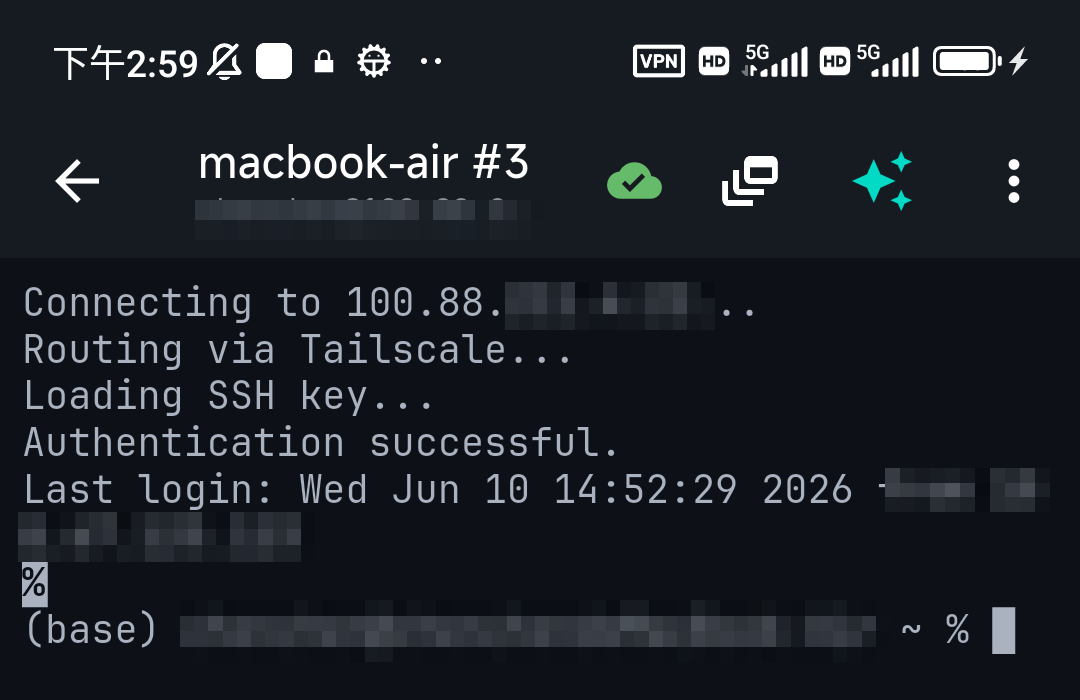
"ssh localhost port 22: Connection refused" on your own machine
Connecting to yourself removes the network from the equation entirely, which makes this the most diagnostic version of the error: if ssh localhost is refused, there is genuinely no SSH server running on that machine. Not a firewall issue, not a routing issue — install and start the server (step 1). This is the normal state of a Mac with Remote Login off, an Ubuntu Desktop install, and virtually every WSL distro and Docker container.
One lookalike is worth separating: channel 2: open failed: connect failed: Connection refused during a port forward. Your SSH login succeeded — the refusal is on the far end of the tunnel, where the service you forwarded to isn't running or is bound to 127.0.0.1 on a different host than you think. Test with curl localhost:PORT on the remote box before blaming SSH.
Refused on a specific platform
Raspberry Pi
Raspberry Pi OS ships with SSH turned off by default (a deliberate security decision, since a device with default credentials reachable on the network is a liability). A Pi that's on the network but refusing port 22 is almost always just this. Three ways to enable it:
- Before first boot — put an empty file named exactly
ssh(no extension) in the boot partition of the SD card, labelledbootfson current images andbooton older ones. The Pi enables SSH on boot and deletes the file. - In Raspberry Pi Imager — the advanced/customisation settings let you enable SSH and set the username and password before writing the card. Current Raspberry Pi OS no longer ships a default
pi/raspberryaccount, so you must set credentials somewhere. - With a keyboard attached —
sudo raspi-config→ Interface Options → SSH → Enable, orsudo systemctl enable --now ssh.
If the Pi times out instead of refusing, it never joined the network — a different problem. See SSH to a Raspberry Pi.
macOS
macOS has sshd built in but disabled: it's called Remote Login, and until you turn it on, every connection to that Mac is refused. Enable it in System Settings → General → Sharing → Remote Login (older versions: System Preferences → Sharing), or from a terminal on that Mac:
sudo systemsetup -setremotelogin on
sudo systemsetup -getremotelogin        # confirm: "Remote Login: On"
ssh localhost                            # confirm it answers locally
Two follow-on gotchas on the Mac side: the Remote Login pane has an "Allow access for" setting, so a user not in the permitted list may be blocked; and the macOS firewall can be set to block incoming connections, in which case add /usr/sbin/sshd to its allowed list. Also remember that a sleeping Mac stops answering — enable "Prevent automatic sleeping" or wake-for-network access if you rely on it. Connecting from a Mac or iPhone, the wording is identical; see SSH from iPhone to Mac.
Windows and PuTTY
PuTTY words it Network error: Connection refused; Windows' built-in OpenSSH client uses the standard wording. Either way, the meaning is unchanged, and since it happens before any credential prompt it is never a password problem.
If Windows is the target, the OpenSSH Server is an optional component that is not installed by default. In an elevated PowerShell:
Add-WindowsCapability -Online -Name OpenSSH.Server~~~~0.0.1.0
Start-Service sshd
Set-Service -Name sshd -StartupType Automatic
Get-NetFirewallRule -Name *ssh*          # the sshd inbound rule should be enabled
Third-party antivirus and endpoint suites also filter connections independently of Windows Defender Firewall, and can reject rather than drop.
WSL
WSL distros install with an SSH client but usually no server, so ssh localhost inside WSL is refused until you sudo apt install openssh-server and start it. Two extra WSL-specific traps once it is running: WSL2 lives on its own virtual network, so connecting from another machine on your LAN needs a netsh interface portproxy rule on the Windows host pointing at the WSL IP; and if Windows itself is running the OpenSSH Server on port 22, you'll want WSL's sshd on a different port to avoid a conflict. Note also that older WSL setups without systemd need sudo service ssh start rather than systemctl.
Docker containers and VMs
Container images almost never run an SSH daemon — there's nothing to refuse a connection to. If you're trying to reach a container, either use docker exec -it NAME bash (the normal way) or, if you genuinely need sshd inside, install it, run it, and publish the port: docker run -p 2222:22 ..., then ssh -p 2222 user@localhost. A container whose port isn't published refuses on the host side even when sshd is happily running inside. docker ps shows the actual mapping; run ss -tlnp inside the container to confirm sshd is listening on 0.0.0.0 rather than only 127.0.0.1.
Local VMs (Vagrant, VirtualBox, Multipass, UTM) hit the same shape of problem through NAT port forwarding: the forwarded host port is refused if the guest's sshd hasn't started yet, or if the guest is still booting. During vagrant up, a burst of refusals that eventually succeeds is normal — the tool is polling a VM that hasn't finished booting.
VPS, EC2, and other cloud servers
On a cloud instance the direction of the error is informative. A timeout normally means the provider's security group is dropping your packets; a refusal normally means you got through the cloud firewall and the instance itself has no listener. So work in this order:
- Is the instance actually up and healthy? A machine that failed a status check, filled its root disk, or is out of memory will not have a running sshd. Check the provider console, not SSH.
- Did it just boot? Refusals during the first minute of a launch or reboot are simply sshd not up yet. Retry before debugging.
- Get in without port 22. AWS gives you EC2 Instance Connect, Session Manager, and the serial console; Azure, Google Cloud, DigitalOcean, Hetzner, and Oracle Cloud all provide a browser or serial console. Use one, then run
ss -tlnp | grep :22andsystemctl status ssh. - Check the OS firewall. Oracle Cloud images are notorious here: they ship restrictive iptables rules in addition to the cloud-level security list.
- Check for a ban. A public-facing server accumulates brute-force attempts constantly; a fail2ban rule that rejected your address looks exactly like this.
More phone-side context: managing a VPS from your phone.
"github.com port 22: Connection refused" on git clone or push
GitHub's SSH endpoint is up; something between you and it is refusing — typically a corporate proxy or filtered network. GitHub publishes an alternate SSH endpoint on the HTTPS port that gets through nearly everything. Test it:
ssh -T -p 443 [email protected]If that greets you by username, make it permanent in ~/.ssh/config:
Host github.com
  Hostname ssh.github.com
  Port 443
  User git
The hostname is ssh.github.com, not github.com — port 443 on the main domain is the website. Expect a one-time host-key prompt for the new host; if that looks wrong, see host key verification failed.
A 60-second diagnosis
From any machine that can reach the network the server is on:
ping HOST                          # replies? the address is live
nc -vz HOST 22                     # "refused" (instant) vs hang (dropped)
nc -vz HOST 2222                   # is SSH somewhere else?
ssh -vvv user@HOST 2>&1 | tail -20 # where exactly does it stop?
And on the box, once you have any way in:
ss -tlnp | grep ':22'              # is anything listening, and on which address?
systemctl status ssh ssh.socket    # service and socket unit
sudo sshd -t                       # config valid?
sudo journalctl -u ssh -n 50 --no-pager
sudo fail2ban-client status sshd   # if it's installed
Read the result by speed and shape, not by the last line of text:
- Instant refusal, ping works → right machine, no listener on that port: this article.
- Instant refusal, ping fails too → you may be hitting a router or gateway answering on the address's behalf. Verify the IP before anything else.
- Long hang, then failure → not this error. Go to Connection timed out.
- Banner appears, then it fails → you connected. It's auth, host keys, or algorithms — see the troubleshooting index.
Refused vs timed out vs closed vs denied
| Error | How far you got | Where to look |
|---|---|---|
| Connection refused | Machine answered "nothing here" (instant) | sshd not running, wrong port, REJECT rule (this article) |
| Connection timed out | No response at all (slow) | Wrong address, host down, DROP firewall, private IP from outside |
| Connection closed by remote host | sshd answered, then hung up | fail2ban, MaxStartups, host limits |
| Permission denied (publickey) | Fully connected, auth failed | Keys, permissions, authorized_keys |
| Broken pipe | Session worked, then died | Idle timeouts, network change |
All of them in one place: the SSH troubleshooting index.
Debugging from a phone
The awkward part of this error on mobile is that you often can't SSH to the box to check it — the fix lives on the machine you just got locked out of. Three ways through:
- Hop through a neighbour. If any other machine on that network is reachable, SSH there and probe from inside:
nc -vz 192.168.1.42 22andping 192.168.1.42tell you immediately whether the box is alive and whether the port is dead. - Use the provider's console. On a VPS, the web/serial console doesn't use port 22 at all, and it works fine from a phone browser.
- Ask instead of remembering. If the diagnostic incantations aren't at your fingertips, describe the situation to TermAI's assistant — "check whether anything is listening on port 22 of 192.168.1.42 from here" — and run the suggested command on the box you are connected to.
For the recurring version of this problem — an address that keeps changing under you — Tailscale is the durable fix, and it's built into TermAI so the phone side needs no second app.
FAQ
What does "ssh: connect to host port 22: Connection refused" mean?
Your packets reached the machine and it actively refused the connection with a TCP reset — nothing is accepting SSH on that port. It happens before authentication, so it is never a key, password, or username problem. The four usual causes: sshd isn't running, SSH is on a different port, a firewall is rejecting the port, or you're connecting to the wrong host.
What causes SSH connection refused?
Most often the SSH server isn't running or isn't installed; next, SSH listening on a non-standard port; then a firewall rule set to REJECT; then the wrong machine at that IP after a DHCP change. Less obvious causes worth checking: sshd bound to 127.0.0.1 only, sshd failing to start after a config edit, a fail2ban ban on your IP, and a router port-forward pointing at a stale address.
How do I fix SSH connection refused?
Get onto the box another way (monitor, provider console, or another machine on the LAN), then run ss -tlnp | grep ':22'. Nothing listening → install/start sshd (sudo systemctl enable --now ssh). Listening on another port → connect with -p. Listening on 127.0.0.1 → fix ListenAddress. Listening correctly → check ufw/firewalld and the cloud firewall, then fail2ban.
What's the difference between "connection refused" and "connection timed out"?
Refused = the machine answered "nothing here", instantly. Timed out = no answer at all, after a long wait. Refused is better news: it proves you reached a live machine and nothing is silently dropping your traffic. A REJECT firewall rule gives you refused; a DROP rule gives you a timeout.
Does connection refused mean my SSH key or password is wrong?
No — never. The refusal happens at the TCP layer, before SSH exchanges a single byte. Credential problems show up as Permission denied (publickey) after a successful connection.
How do I fix connection refused on a Raspberry Pi?
SSH is disabled by default on Raspberry Pi OS. Enable it by placing an empty file named ssh in the boot partition (bootfs on current images) before boot, by ticking the SSH option in Raspberry Pi Imager, or with sudo raspi-config on an attached keyboard. It persists after that.
Why does my Mac refuse SSH connections?
macOS ships sshd disabled. Turn on Remote Login in System Settings → General → Sharing, or run sudo systemsetup -setremotelogin on. Then check the "Allow access for" list and make sure the Mac isn't asleep.
Why is "ssh localhost" refused?
Because there is no SSH server running on that machine — a firewall or network problem can't be involved when you're connecting to yourself. Install and start openssh-server. This is the normal starting state on Ubuntu Desktop, WSL distros, and most containers.
I changed the SSH port on Ubuntu and now everything is refused. Why?
On Ubuntu 22.10 and later, sshd is socket-activated: ssh.socket owns the listening port, so a Port line in sshd_config may not move the listener. Run sudo systemctl edit ssh.socket, add a [Socket] section with an empty ListenStream= followed by ListenStream=YOURPORT, then daemon-reload and restart ssh.socket. Confirm with ss -tlnp.
SSH worked yesterday and is refused today from my network only. What changed?
Suspect an IP ban. fail2ban and CrowdSec block addresses after repeated failed logins, and some configurations reject rather than drop. Test from cellular or another network: if that connects, it's a ban on your address, not a server fault. Unban with sudo fail2ban-client set sshd unbanip YOUR.IP.
Why does my EC2 / VPS refuse port 22?
A refusal (rather than a timeout) usually means you passed the cloud firewall and the instance has no listener: it's still booting, it failed a status check, its disk is full, or sshd didn't start. Use EC2 Instance Connect, the serial console, or your provider's web console to get in and check ss -tlnp. Security-group problems normally cause timeouts instead.
Why does Docker refuse SSH on my container?
Most images don't run an SSH daemon at all, and a container port isn't reachable unless it's published (-p 2222:22). Use docker exec -it NAME bash instead — it's the intended way in and needs no sshd.
Can a wrong username cause connection refused?
No. The username is only sent after the TCP connection and key exchange succeed. A bad username produces Permission denied, not a refusal.
What does "channel 2: open failed: connect failed: Connection refused" mean?
Your SSH session connected fine; the refusal is at the far end of a port forward. The service you forwarded to isn't running, or it's bound to 127.0.0.1 on a machine other than the one you assumed.
How do I check whether port 22 is open when I only have my phone?
SSH into any other machine on that network and run nc -vz HOST 22 from there; an instant "refused" versus a hang tells you refusal from drop. If nothing on the network is reachable, use the server provider's web console. TermAI's assistant will produce the right probe command from a plain-language description.
How do I stop this happening again?
Give the box a static IP or DHCP reservation so the address stops moving, enable sshd at boot (systemctl enable ssh), keep a second way in (provider console or physical access), and test sshd -t before restarting after any config change. Putting the machine on Tailscale removes the address-drift class of failure entirely.
Quick Facts
- Meaning: reachable machine, nothing listening on that port — a TCP reset, delivered instantly, always pre-authentication
- Top causes: sshd not running or not installed · wrong port · REJECT firewall rule · wrong host after an IP change
- Overlooked causes:
ListenAddress 127.0.0.1· sshd died on a config error · fail2ban ban · unpublished container port · Ubuntu socket activation - One command that settles it:
ss -tlnp | grep ':22'on the box — nothing listening explains everything - Refused vs timed out: refused is instant and means REJECT/no listener; a slow failure is a timeout (DROP or wrong address)
- Never the cause: your key, password, or username — those fail later as Permission denied
- Avoid IP drift: stable Tailscale addresses instead of LAN DHCP IPs
Free on iOS and Android. 5 AI requests/day on the free tier, plus unlimited SSH/SFTP and built-in Tailscale.