Is there a PuTTY for Android?
No. There is no official PuTTY for Android, and none for iPhone or iPad either. PuTTY is a Windows and Unix desktop program — the current release is 0.84, published in May 2026 — and in more than 25 years it has never shipped a mobile version. Every app on the Play Store or App Store using the PuTTY name is somebody else's app borrowing the name.
So if you searched "PuTTY for Android", "PuTTY for iPhone", or "PuTTY mobile", what you actually want is a phone SSH client that does PuTTY's job. In 2026 that shortlist is:
- Android or iPhone, want AI help and a way into a home network → TermAI (free tier; Pro $2.99/mo; built-in Tailscale)
- Free, open source, Android only → ConnectBot
- Same host list on a laptop too → Termius (free Starter; sync is the paid feature)
- iPhone/iPad power user, no Android needed → Blink Shell (Blink+ $19.99/year)
- You want the literal PuTTY tools on Android →
putty-toolsinside Termux gives you realplinkandputtygen(how, below) - Still looking for JuiceSSH → it was unpublished from Google Play in December 2025; don't start there
"PuTTY for Android", "PuTTY android", "PuTTY on android", "PuTTY for iPhone", "PuTTY iOS", and "PuTTY mobile" are the same question asked six ways — this page answers each of them separately below. Disclosure: TermAI is our own app; versions, prices, and store status for every app here were re-checked for 2026.
Why there's no official PuTTY app
PuTTY is a small, focused desktop SSH client maintained by Simon Tatham for Windows, and built from source on Linux and other Unix systems. Its author has never released an Android or iOS port, there is no official APK, and there is no PuTTY entry in the App Store. Release 0.83 (February 2025) added ML-KEM post-quantum key exchange and 0.84 followed in May 2026 — the project is very much alive, just not on phones.
The apps you find by searching "PuTTY APK" are third-party. Some are harmless wrappers around another SSH library; others are low-quality clones that reuse the name to catch exactly the search you just did. Since an SSH client handles your keys and your passwords, don't install a random "PuTTY" APK.
This isn't a theoretical risk. PuTTY's name has already been used as malware bait on the desktop: in 2022 security researchers documented a campaign in which a trojanised PuTTY installer, sent as part of a fake job offer, was used to backdoor a media company. The desktop version at least has one canonical download source to check against (chiark.greenend.org.uk, with published signatures). A "PuTTY" on a phone store has no canonical source at all — there's nothing to compare it to, because the real thing doesn't exist there.
How to spot a fake "PuTTY" app in 30 seconds
- Check the developer name. Real PuTTY comes from Simon Tatham. Any mobile listing shows some other developer — that alone tells you it isn't PuTTY.
- Look at the permissions. An SSH client needs network access. It does not need your contacts, SMS, call log, or location.
- Read the update history. A client that hasn't shipped in two years is holding your server keys with two-year-old crypto.
- Distrust "PuTTY Pro / PuTTY SSH / PuTTY Terminal" naming. Riding a trademark is the tell, not the exception.
- Never sideload an SSH client from an APK mirror. Of every app category, this is the worst one to take from an unverified source.
PuTTY for Android: what to use instead
On Android you have two genuinely different options, and people searching "PuTTY android" are usually after the first one without knowing it.
Option 1 — a proper Android SSH client. This is what you want if PuTTY, to you, meant "the window I type server commands into." A mobile client gives you a tap-to-connect host list, keys held in the Android Keystore behind biometric unlock, and an Esc/Tab/Ctrl/arrow key row that a stock Android keyboard doesn't have. TermAI and Termius both do this with SFTP included; ConnectBot does it free and open source, without SFTP. Full roundup in the best SSH client for Android.
Option 2 — the actual PuTTY command-line tools, running on the phone. That's covered next, and it's the one nearly every "PuTTY for Android" article misses.
Running real PuTTY tools on Android (via Termux)
PuTTY has no GUI on Android, but its command-line half — plink, puttygen, pscp, psftp — is packaged for Termux as putty-tools, built from the same upstream source as desktop PuTTY. If you want to say you're "running PuTTY on Android", this is the honest version of it:
- Install Termux from F-Droid or GitHub. (The Google Play build is deprecated and missing functionality — don't use it.)
pkg install x11-repo—putty-toolslives in the x11 repository, though you don't need any graphical libraries to use the CLI tools.pkg install putty-tools- Connect with
plink -ssh user@host, or convert a key withputtygen key.ppk -O private-openssh -o id_key.
What this gets you: real PuTTY behaviour, real .ppk handling, and on-device key conversion with no desktop involved. What it doesn't get you: saved sessions in a UI, a touch key row, keystore-backed key storage, or anything resembling a phone app. plink is a batch/scripting tool — it's excellent for a one-off command, painful as your daily terminal. Most people should use a real client for daily work and keep putty-tools around for key conversion. More on the Termux side of things in running Linux on Android and ConnectBot vs Termux.
PuTTY for iPhone and iOS
Same answer, stricter platform: there is no PuTTY for iOS or iPadOS, and unlike Android there's no workaround either. iOS has no APK-style sideloading and no general package manager, so you can't install PuTTY's Unix tools the way Termux allows on Android. On an iPhone the only route is a native SSH client from the App Store.
The good news is that iOS has the strongest mobile terminal apps of any platform:
- TermAI — the same app on iPhone and Android, so if you carry both you keep one workflow. AI assistant in the terminal, keys in the iOS Keychain, Tailscale built in. Free tier, Pro $2.99/month.
- Blink Shell — the power-user's iOS terminal: Mosh support for sessions that survive network changes, local Unix tools, deep keyboard support on iPad. Now subscription-only as Blink+ at $19.99/year (two-week trial); the old one-time purchase is gone. The separate Blink Build cloud-runtime add-on is $7.99/month. iOS/iPadOS only — no Android build.
- Termius — the pick if you also use a Mac or PC and want one synced host list. Free Starter tier covers SSH, SFTP, and port forwarding on the device; sync is the paywall.
The one thing to plan for on iOS: convert your .ppk key before you leave the desktop. With no puttygen available on the phone, an iPhone-only conversion path doesn't exist — run PuTTYgen on your PC first (details in moving your setup), or just generate a fresh Ed25519 key on the phone and deploy that instead. See also the best SSH client for iPhone, creating an SSH key on iPhone, how to SSH from iPhone, and for the bigger screen, the best SSH client for iPad.
PuTTY on desktop vs a phone: what maps to what
If you already know PuTTY, moving to a phone is mostly a matter of translation. Every core PuTTY concept has a mobile equivalent — usually one that's more built-in than on the desktop:
| On PuTTY (desktop) | On a mobile SSH client |
|---|---|
| Saved Sessions | A saved host list (tap to connect) |
| Pageant (key agent) | Keys held in the phone's secure keystore |
.ppk private key | Standard OpenSSH key (convert with PuTTYgen) |
Manually paste key into authorized_keys | App can deploy the public key for you |
| Full physical keyboard | An added key row (Esc, Tab, Ctrl, arrows) |
| Config file / registry | Per-host settings in the app UI |
| SSH tunnels / port forwarding panel | Per-host port-forwarding rules (most clients) |
| Host-key warning dialog | Fingerprint confirmation on first connect |
| Session logging to a file | Scrollback + copy out; logging varies by app |
| Telnet / rlogin / serial (COM port) | Rarely supported — SSH only on most mobile clients |
The rows worth noticing: on a phone your key lives in the hardware keystore (iOS Keychain / Android Keystore) rather than a .ppk file on disk, and a good client can push your public key to the server for you — the step PuTTY makes you do by hand. The last row is the honest loss: if you use PuTTY as a serial console for switches and routers, no phone app replaces that without a USB adapter and OTG support. Keep PuTTY on the laptop for that job.
PuTTY-style SSH clients for mobile (2026)
| Client | Android | iPhone | AI | SFTP | Tailscale | Price (2026) |
|---|---|---|---|---|---|---|
| TermAI | ✅ | ✅ | ✅ | ✅ | ✅ built in | Free tier; Pro $2.99/mo |
| Termius | ✅ | ✅ | autocomplete | ✅ | ❌ | Free Starter; Pro $10/mo annual |
| ConnectBot | ✅ | ❌ | ❌ | ❌ | ❌ | Free, open source |
| Blink Shell | ❌ | ✅ | ❌ | ✅ | ❌ | Blink+ $19.99/yr |
Termux + putty-tools | ✅ | ❌ | ❌ | via psftp | ❌ | Free, open source |
| JuiceSSH | delisted | ❌ | ❌ | ❌ | ❌ | n/a — removed from Play, Dec 2025 |
Termius Pro's $10/user/month is the annual-billing rate; month-to-month costs meaningfully more. Blink is subscription-only now — the old one-time purchase is retired.
1. TermAI — the closest modern equivalent
If you want PuTTY's job — connect to a server, run a shell — but on a phone and with modern conveniences, TermAI is the closest fit. It runs on both Android and iPhone, keeps your keys on-device in the platform keystore, and adds an AI assistant inside the terminal plus built-in Tailscale. Free tier includes unlimited SSH and SFTP with 5 AI requests a day; Pro is $2.99/month.
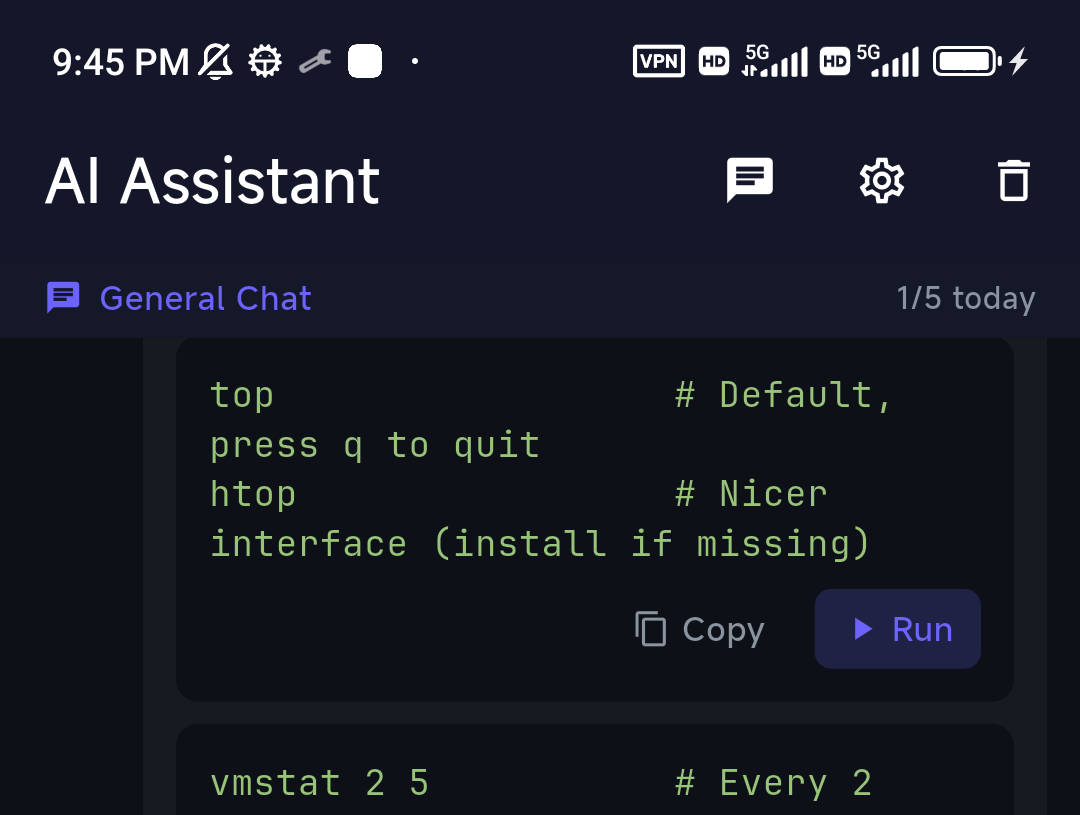
Two things matter specifically to someone arriving from PuTTY. First, the assistant is suggest-and-confirm, not an agent that runs things for you — you read the command before it executes, which is the right default when the screen is six inches wide and the box is production. Second, built-in Tailscale replaces the setup PuTTY users usually build around it: no port-forwarding 22 to the internet, no second VPN app, just a direct route to a home or office machine.
Best for: PuTTY users who want a mobile client with AI and a way into a private network, on either platform.
Trade-off: no desktop app — on the desktop itself, PuTTY (or another desktop client) still makes sense.
2–5. Termius, ConnectBot, Blink Shell — and the JuiceSSH situation
Termius is the mature cross-platform option: the same hosts, keys, and snippets on Android, iPhone, and desktop. Its free Starter plan is a capable client on its own (SSH, SFTP, port forwarding, AI autocomplete); what you pay for is sync, at $10/user/month billed annually. If your reason for leaving PuTTY is "I want one host list everywhere", this is the pick — see Termius vs PuTTY for the head-to-head and Termius alternatives if the price puts you off.
ConnectBot is the original Android SSH client and still the answer when the requirement is "free, open source, no account, no cloud." It's plain — dated UI, no SFTP, no sync — but it's genuinely free with no tiers and still shipping releases (the 1.10.x line continued through 2026). For a PuTTY refugee who liked PuTTY precisely because it was small and asked nothing of you, ConnectBot is the closest match in spirit.
Blink Shell is the strongest native iOS terminal if you don't need Android: Mosh, local tools, serious keyboard handling on iPad. It's now Blink+ at $19.99/year rather than a one-time purchase. Compare in Blink Shell vs Termius.
JuiceSSH used to headline lists like this one, and it shouldn't anymore. Its last release was v3.2.2 in February 2021, and it was unpublished from Google Play in December 2025 — new users can't install it, and many existing users report their Pro licence validation broke. Sideloading a 2021 SSH binary from an APK mirror is exactly the risk this whole page is about. If you're still on it, add your new key to the server's authorized_keys before revoking the old one, or you'll lock yourself out of a box you can only reach from your phone. Details in is JuiceSSH dead?
Moving your setup from PuTTY
Four practical steps cover almost every PuTTY migration to a phone.
1. Export your saved sessions (optional, but it saves retyping)
PuTTY keeps sessions in the Windows registry, not a config file. To get a readable list of every host you've saved — useful when you're re-entering them on a phone — run this in Command Prompt:
reg export HKCU\Software\SimonTatham\PuTTY\Sessions putty-sessions.reg
Open the resulting file in a text editor and you have your hostnames, ports, and usernames in one place. No mobile client imports this format directly, but reading it beats clicking through PuTTY's session list one entry at a time.
2. Recreate a saved session as a host
Instead of a Saved Session, you add a host once and it lives in a list. Label it, enter the hostname/IP, port, and username — the same fields PuTTY asks for, in one screen:

3. Bring your key across (convert the .ppk)
PuTTY stores private keys as .ppk, which mobile clients don't read. You have three ways to fix that:
- PuTTYgen GUI (Windows): open the
.ppk, then Conversions → Export OpenSSH key. You get a standard OpenSSH private key you can paste or import into the app. - Command line (Linux, macOS, or Termux on Android):
puttygen key.ppk -O private-openssh -o id_key— the only route that works entirely on a phone, and Android-only, since it needs Termux. - Skip it entirely: generate a fresh Ed25519 key on the phone and deploy that. Often the better move — the
.ppkon your old laptop is probably an RSA key from several jobs ago, and a per-device key means losing the phone doesn't mean rotating everything.
If your key has a passphrase, PuTTYgen will ask for it before converting; the exported OpenSSH key can carry a passphrase too. On iPhone, do this on a desktop first — there's no puttygen on iOS.
4. Let the app install the key for you
On the desktop, PuTTY leaves you to paste your public key into the server's ~/.ssh/authorized_keys by hand. In TermAI, once you've connected to a server (a password login is fine for the first time), it can generate an Ed25519 keypair and write the public key into that server's authorized_keys for you. Next time, you're on key-based auth with nothing copied by hand — the mobile equivalent of ssh-copy-id.
Connecting for the first time
Once a host is saved, connecting is a tap. On the first connect the app shows the server's host-key fingerprint and asks you to confirm it — the same trust-on-first-use check PuTTY does with its warning dialog (more on host-key verification).
- Tap the saved host to connect.
- Confirm the host-key fingerprint the first time.
- You're in — a full terminal, with an added key row for Esc / Tab / Ctrl / arrows.

If it won't connect at all, the causes are the same ones PuTTY reports on the desktop — a closed port, the wrong port, or a firewall in front of the box. See connection refused.
PuTTY features that need a different answer on mobile
Most of PuTTY carries over. These are the parts that don't, and what to do about each:
- Port forwarding / SSH tunnels. Supported by TermAI, Termius, ConnectBot, and Blink, but the UI is per-host rather than PuTTY's tunnels panel. Set the rule on the host, then connect. (SSH tunnelling explained.)
- Pageant / agent forwarding. There's no Pageant on a phone — the OS keystore plays that role. If you hop through a bastion to internal machines, check your client supports the ProxyJump or agent-forwarding flow you need; a mesh VPN like Tailscale often removes the jump host entirely.
- Serial console (COM port). The one real gap. Configuring a switch over a serial cable is a laptop job.
- Telnet and rlogin. PuTTY speaks them; most mobile clients are SSH-only. If you need Telnet for old lab gear, that's another laptop job.
- X11 forwarding. Not a phone workflow. On Android, Termux plus its X11 add-on is the nearest thing, and it's a project, not a checkbox.
- Sessions dying when you switch apps. Not a PuTTY concept at all, but the number-one mobile complaint: Android's Doze and iOS's background limits suspend network activity. Prefer a client that auto-reconnects, run long jobs under
tmux, and on flaky mobile data consider Mosh instead of SSH.
If you actually wanted the Windows desktop, not a shell
A good share of "PuTTY for Android" searches come from Windows admins who want to reach their PC from a phone — and PuTTY is the tool they associate with remote access. Worth separating the two: PuTTY is SSH, which gives you a command line. Seeing the Windows desktop is RDP, a different protocol and a different app.
For RDP on a phone, Microsoft's client is now called Windows App — it replaced the old Microsoft Remote Desktop app on Android, iOS, and macOS, with the legacy app discontinued in May 2025. For the SSH half on a Windows box, enable the built-in OpenSSH Server optional feature, and any client on this page connects to it. Many people want both: RDP when they need the GUI, SSH when they just need to restart a service.
How to choose
- Want AI + a route into a private network, on Android or iPhone → TermAI.
- Use a desktop too and want one synced host list → Termius.
- Want free and open source on Android → ConnectBot.
- iPhone or iPad power user, no Android needed → Blink Shell.
- Need PuTTY's own tools (
plink,puttygen) on the phone → Termux +putty-tools, Android only. - Need a serial console or Telnet → keep PuTTY on a laptop; no phone app covers it.
- Want the Windows desktop, not a shell → Microsoft's Windows App (RDP), not an SSH client.
- Looking for JuiceSSH → delisted since December 2025; pick one of the above and rotate your keys.
FAQ
Is there an official PuTTY app for Android?
No. PuTTY has no official Android app and never has — it's a Windows and Unix desktop program, currently at version 0.84 (May 2026). Every app using the PuTTY name on the Play Store is third-party. Use a maintained mobile client such as TermAI, ConnectBot, or Termius instead.
Is there a PuTTY for iPhone or iOS?
No. There's no PuTTY for iPhone or iPad, and no App Store listing from PuTTY's developer. iOS also has no sideloading or package manager, so unlike Android there's no way to run PuTTY's command-line tools either. Use a native iOS SSH client: TermAI (also on Android), Blink Shell (iOS-only, $19.99/year), or Termius.
What is the best PuTTY alternative for mobile?
For most people, TermAI — it's the only one of the shortlist that runs on both Android and iPhone with an AI assistant and Tailscale built in, on a free tier. Termius if you need desktop sync, ConnectBot if you want free and open source on Android, Blink Shell if you're iOS-only.
Can I run PuTTY on Android?
Not the GUI, but yes to its command-line tools. Install Termux (from F-Droid or GitHub), then pkg install x11-repo followed by pkg install putty-tools. That gives you plink, puttygen, pscp, and psftp, built from the same upstream source as desktop PuTTY. It's a scripting toolkit, not a phone app — no saved sessions, no touch key row.
Are "PuTTY" APKs safe?
Treat them as unsafe. An SSH client holds the keys and passwords to your servers, so an unknown clone is one of the worst apps to trust. PuTTY's name has been used as malware bait before — a trojanised PuTTY installer was used to backdoor a company in a 2022 campaign. On mobile there's no official build to compare against, so there's nothing to verify. Use a reputable, maintained client instead.
Can I use my PuTTY keys on a phone?
Yes, after converting. PuTTY uses .ppk files, which mobile clients don't read. Export to OpenSSH format with PuTTYgen (Conversions → Export OpenSSH key), or on the command line with puttygen key.ppk -O private-openssh -o id_key, then import the result. On Android you can do this entirely on-device inside Termux; on iPhone you need a desktop first.
How do I connect to a server from Android?
Install a mobile SSH client, add a host (hostname or IP, port 22, username), choose password or key auth, and tap to connect. Confirm the host-key fingerprint on the first connection. Step by step, with screenshots, in how to SSH from Android.
What happened to JuiceSSH?
It was unpublished from Google Play in December 2025, after a last release in February 2021. New users can't install it and many existing Pro users report broken licence validation. It's no longer a reasonable answer to "PuTTY for Android".
Does PuTTY work on a tablet — Android tablet or iPad?
Same answer as phones: no PuTTY build for either. On an iPad, Blink Shell and TermAI both handle external keyboards well, which makes a tablet the closest thing to a desktop PuTTY experience on mobile. See SSH from iPad.
Is PuTTY still maintained on desktop?
Yes. 0.83 shipped in February 2025 with ML-KEM post-quantum key exchange, and 0.84 followed in May 2026. Nothing about the mobile gap suggests the project is dead — it simply never targeted phones.
Do I need to open port 22 to reach my home server from my phone?
No, and you shouldn't. Exposing SSH to the public internet invites constant brute-force traffic. Use a mesh VPN instead — TermAI has Tailscale built in, so the phone reaches the machine directly with no port forwarding. More in accessing a home server from anywhere.
Quick Facts
- Topic: PuTTY on mobile — there's no official app for Android, iPhone, or iPad, and what to use instead
- Key fact: PuTTY is Windows/Unix only; current release 0.84 (May 2026). All mobile "PuTTY" apps are third-party
- Safety: don't install a random PuTTY APK — an SSH client holds your keys; PuTTY's name has been used as malware bait before
- Closest modern fit: TermAI (Android + iPhone, AI and Tailscale built in, free tier, Pro $2.99/mo)
- Free & open source (Android): ConnectBot; desktop sync: Termius (free Starter, Pro $10/mo annual); iOS power user: Blink+ $19.99/yr
- Real PuTTY tools on Android: Termux →
pkg install x11-repothenpkg install putty-tools(plink, puttygen, pscp, psftp) - iOS: no PuTTY and no workaround — convert
.ppkkeys on a desktop before you move - Keys:
puttygen key.ppk -O private-openssh -o id_key, or generate a fresh Ed25519 key on the phone - No longer an option: JuiceSSH — removed from Google Play in December 2025
- Not covered by any phone app: serial console, Telnet, X11 forwarding — keep PuTTY on a laptop for those
Free on iOS and Android. 5 AI requests/day on the free tier, plus unlimited SSH/SFTP and built-in Tailscale.