Termius vs MobaXterm in one line
MobaXterm is a Windows power-tool: one app with tabbed SSH, a bundled X11 server, RDP and VNC, a file browser beside every session, and a pile of network utilities — all on Windows only. Termius is a cleaner, cross-platform SSH client (Windows, macOS, Linux, iOS, Android) whose defining feature is a synced vault of hosts and keys. If you're a Windows admin who wants everything in one window, MobaXterm is hard to beat. If you want the same host list on a Mac, a Linux box or your phone, Termius — or a mobile-first option like TermAI — fits better.
Put the other way round, since MobaXterm vs Termius is searched just as often: they aren't really competing for the same job. MobaXterm competes with PuTTY, Xshell and SecureCRT for the Windows desktop. Termius competes with Tabby, Warp, Blink and TermAI for "the client that follows me between devices". Almost nobody who tries both ends up torn — the decision is made by which of those two sentences describes you.
Versions and prices below were checked in August 2026 against each vendor's own pages and third-party software directories, with sourcing noted where it isn't first-party. Both products reprice and re-license; treat the vendor page as authoritative. Disclosure: TermAI is our app, and we've tried to state its limits as plainly as its strengths.
Side by side
| MobaXterm | Termius | |
|---|---|---|
| Platforms | Windows only | Windows, macOS, Linux, iOS, Android |
| Current version (Aug 2026) | 26.4 (released 11 Jun 2026); 26.5 in preview | Rolling releases per app store |
| Free tier | Home Edition — 12 sessions, 2 tunnels, 4 macros, personal use only | Starter — unlimited hosts, no sync, commercial use allowed |
| Paid tier | Professional — listed ~$69/user, perpetual + 12 months of updates | Pro — $10/user/mo billed annually (~$120/yr) |
| Protocols | SSH, Telnet, Rlogin, RDP, VNC, FTP/SFTP, XDMCP, serial | SSH, Mosh, Telnet, SFTP, serial, port forwarding |
| Bundled X11 server | ✅ (the headline feature) | ❌ |
| RDP / VNC in the same app | ✅ | ❌ |
| Local Unix shell on Windows | ✅ Cygwin-based, with a package manager | ✅ local terminal (your existing shell) |
| Sync across devices | ❌ (manual session export/import) | ✅ on paid tiers |
| Mobile | ❌ | ✅ iOS + Android |
| Mosh (survives network drops) | ❌ | ✅ |
| AI assistant | ❌ none as of Aug 2026 | ✅ autocomplete on the free tier; conversational Agent in beta |
| Team / shared vaults | ❌ (site licences, not shared vaults) | ✅ Team $20 and Business $30 per user/mo |
| Portable / no-install mode | ✅ portable edition | ❌ |
What each one actually is
Worth thirty seconds if you've only ever used one of them, because the category difference explains every row above.
MobaXterm (by Mobatek, France) is a single Windows executable that bundles an entire remote-access toolkit: a tabbed terminal, an X11 server so Linux GUI apps can draw on your Windows desktop, RDP and VNC clients, a graphical SFTP pane that auto-opens beside each SSH session, a Cygwin-based local Unix shell with its own package manager, and embedded servers (TFTP, FTP, SFTP, HTTP, NFS, Cron, syslog) for when you need to receive a file from a switch or a router. The current stable release is 26.4, dated 11 June 2026, with 26.5 preview builds shipping through the summer — recent releases have added smart-card certificate authentication for SSH, WebAuthn redirection in RDP, and refreshed OpenSSL/OpenSSH/Xorg components.
Termius (formerly Server Auditor) is an SSH client built around a synced vault. You define a host once — address, port, user, key, jump host, port-forwarding rules, tags — and it appears on every device you've signed in on. It speaks SSH, Mosh, Telnet, SFTP and serial, with visual port forwarding and reusable snippets. It doesn't try to be a network toolkit; it tries to be the same client everywhere. If you landed here just wanting to know what Termius is and what it costs, that's the whole product, and the pricing is in the Termius section below.
MobaXterm — the Windows Swiss-army knife
MobaXterm's appeal is breadth. Open one window and you have SSH tabs, the remote filesystem in a side pane you can drag files into, an X server already running so xclock or a remote IDE just appears, an RDP tab for the one Windows box in the rack, and a terminal that understands ssh, scp, rsync and grep without you installing anything. For a Windows sysadmin, that's a real productivity story that no cross-platform SSH client matches.
The specifics that matter when you're deciding:
- The X server is the moat. No other client in this comparison ships one. If any part of your work involves forwarding a Linux GUI app to your Windows desktop, the comparison is over — MobaXterm wins, and it isn't close.
- The free Home Edition has hard caps. It's limited to 12 saved sessions, 2 SSH tunnels and 4 macros, with network daemons (TFTP/NFS/Cron) capped at 360 seconds of runtime. Twelve sessions is enough for a homelab and not enough for a fleet.
- Home Edition is personal use. This is the detail most comparisons skip and the one that gets teams in trouble: the free edition is licensed for personal use, and using it at work is what the Professional Edition is for. Professional lifts every cap and adds customisation and deployment options for pushing a pre-configured build across a company.
- Professional pricing is a one-time purchase, not a subscription. Third-party software directories (Capterra, GetApp) list it from about $69 per user, with volume tiers. Mobatek's terms describe a perpetual licence with 12 months of update service included — after that you keep the version you have, and renew only if you want newer builds. Licences are per end user, not per machine. Confirm the current figure on mobatek.net before you buy; the $69 number is from directories rather than a vendor price list.
- No sync — but there is an export. MobaXterm has no cloud vault. It does let you export sessions to a
.mxtsessionsfile, and its settings live in a singleMobaXterm.ini, so people fake sync by keeping the portable edition and its config in OneDrive or on a network share. It works, it's manual, and it's on you to keep it encrypted. - Portable edition. Runs from a USB stick with no install and no admin rights — genuinely useful on locked-down corporate machines, and something Termius can't do.
Best for: Windows admins and engineers who want SSH, X11, RDP and network tools in one window.
Trade-off: Windows-only, no sync, no mobile, no Mosh, no AI, and free ≠ free at work.
Termius — cross-platform and synced
Termius trades MobaXterm's kitchen-sink breadth for continuity. Add a server on your laptop at 6pm, it's on your phone at 9pm. Rotate a key once, every device has it. For anyone whose day spans a Mac, a Windows machine and a phone, that's worth more than an X server they'd never open.
Pricing as of August 2026, per Termius's pricing page:
| Plan | Price (annual billing) | What you get |
|---|---|---|
| Starter | Free | Unlimited hosts, SSH, SFTP, port forwarding, AI autocomplete, commercial use — no sync |
| Pro | $10 / user / month (~$120/yr) | Cloud vault, cross-device sync, snippets automation |
| Team | $20 / user / month | Shared vaults and shared host definitions |
| Business | $30 / user / month | Advanced controls and compliance |
Three things people get wrong about that table. First, the free tier is real, not a trial — unlimited hosts, SFTP and tunnels, and commercial use is allowed, which is the opposite of MobaXterm's free/personal split. Second, the paywall is sync, not features; the tier breakdown is in Termius free vs paid. Third, month-to-month costs roughly double — trackers put it near $19.99 versus $10 annualised, so verify before planning around the monthly figure. There's no one-time purchase at any tier. Students on the GitHub Student Developer Pack and open source maintainers can get paid tiers free through Termius's own programmes.
On AI, Termius has moved: AI autocomplete and command generation now run on the free Starter plan, while the conversational Agent is still gated behind a beta programme. We covered what it does and doesn't do in the Termius AI assistant. MobaXterm has no AI features at all as of August 2026 — no natural-language command generation, no LLM integration.
Best for: people who work across multiple OSes and devices, and want one host list everywhere.
Trade-off: sync is paid and recurring; no X server, no RDP/VNC, not a Windows power-tool. See Termius alternatives if the subscription is the sticking point.
Head to head on the six things people actually switch for
1. Remote GUI apps (X11). MobaXterm, uncontested. Its X server starts with the app and DISPLAY is set for you — forwarding a GUI over SSH is one checkbox. Termius has no X server; on Windows you'd add VcXsrv or run through WSLg, which is exactly the second tool MobaXterm exists to save you from.
2. File transfer. Close, with different shapes. MobaXterm auto-opens an SFTP browser beside every SSH session and follows your cd — drag a file in, it lands in the directory you're standing in. Termius has a proper SFTP client on every platform including phones, which MobaXterm can't offer at all. Desktop-only work: MobaXterm. File work from a phone: Termius (see transferring files over SSH).
3. Tunnels and port forwarding. Both have a graphical tunnel manager. The difference is the free tier: MobaXterm Home caps you at 2 SSH tunnels, while Termius Starter doesn't cap tunnels. If you routinely forward a database, a dashboard and a dev server at once, MobaXterm's free edition will stop you and Termius's won't. Mechanics in SSH tunnelling explained.
4. Flaky networks. Termius, via Mosh — sessions survive a Wi-Fi-to-cellular handoff or a laptop lid closing. MobaXterm has no Mosh equivalent; on a shaky VPN you reconnect and lose your scrollback unless you're living inside tmux. Background in Mosh vs SSH and keeping a process running after you disconnect.
5. Where your keys and passwords live. MobaXterm keeps credentials locally, protected by an optional master password, and nothing leaves your machine — attractive if policy forbids third-party cloud storage of credentials. Termius stores the vault in its cloud (end-to-end encrypted, unlocked by your account) so it can sync. Neither is wrong; they're different threat models, and the local-only one is a legitimate reason to stay on MobaXterm.
6. Cost over three years. One MobaXterm Professional seat at the ~$69 list figure, even renewed for updates a couple of times, stays well under Termius Pro's ~$120 per year. Over three years that's roughly $69–$150 against about $360. Termius's counter-argument is that $360 buys five platforms and a synced vault, and that its free tier costs nothing at all if you only ever use one device. If you're a solo Windows user with a dozen servers, MobaXterm is cheaper and Termius Starter is free — the money only becomes the deciding factor for a team.
MobaXterm vs the rest (and Termius vs the rest)
"MobaXterm vs …" rarely stops at Termius, so here's the short version of the neighbouring comparisons:
- MobaXterm vs PuTTY — PuTTY is a tiny, free, no-nonsense SSH terminal; MobaXterm is a suite that embeds a PuTTY-derived terminal plus everything else. If you want one 3 MB executable that opens a session and nothing more, PuTTY. Anything beyond that, MobaXterm. Related: Termius vs PuTTY.
- MobaXterm vs Xshell / SecureCRT — the commercial Windows-terminal establishment. Xshell and SecureCRT are stronger on scripting, logging and large managed session trees; MobaXterm wins on breadth-per-dollar and on the bundled X server. Both are pricier than $69.
- MobaXterm vs Windows Terminal + WSL — free, built in, and increasingly good: Windows Terminal gives you tabs, OpenSSH gives you
ssh, WSLg even handles Linux GUI apps. What you don't get is a session manager, a GUI SFTP pane, RDP/VNC, or the network daemons. This is the honest free alternative for developers; it's a downgrade for admins. - MobaXterm vs Tabby — Tabby (the app formerly called Terminus) is the open-source, cross-platform middle ground: SSH connection manager, SFTP panel, split panes, optional config sync, Windows/macOS/Linux. No X server. See Termius vs Tabby.
- MobaXterm vs Warp — Warp is an AI-first terminal for local development, not a fleet-management tool; it's a genuine alternative to MobaXterm's terminal and no alternative at all to its X server. See Termius vs Warp.
- Termius vs everything else — the full field, including the mobile-only contenders, is in the best SSH client in 2026 and the best Termius alternatives.
And the comparison that isn't a comparison: MobaXterm vs Mac or Linux. There's no macOS or Linux build, and there is no official plan for one. People do run it under Wine or in a Windows VM with mixed results; the practical answers on those platforms are Termius, Tabby, Royal TSX (if you need RDP/VNC in the same list), iTerm2 or plain OpenSSH with a tidy SSH config file.
Neither runs on your phone the way you want? Try TermAI
MobaXterm has no mobile version and never has, and a large share of people comparing these two are really asking "how do I reach my servers when I'm not at the desk?" Termius answers that with the same app on iOS and Android. TermAI answers it differently: an SSH client designed for a 6-inch screen, with an AI assistant in the terminal (describe a task in plain language, get a command you review before running), built-in Tailscale so you can reach a home server or firewalled VPS without exposing port 22, and a free tier with unlimited SSH and SFTP.
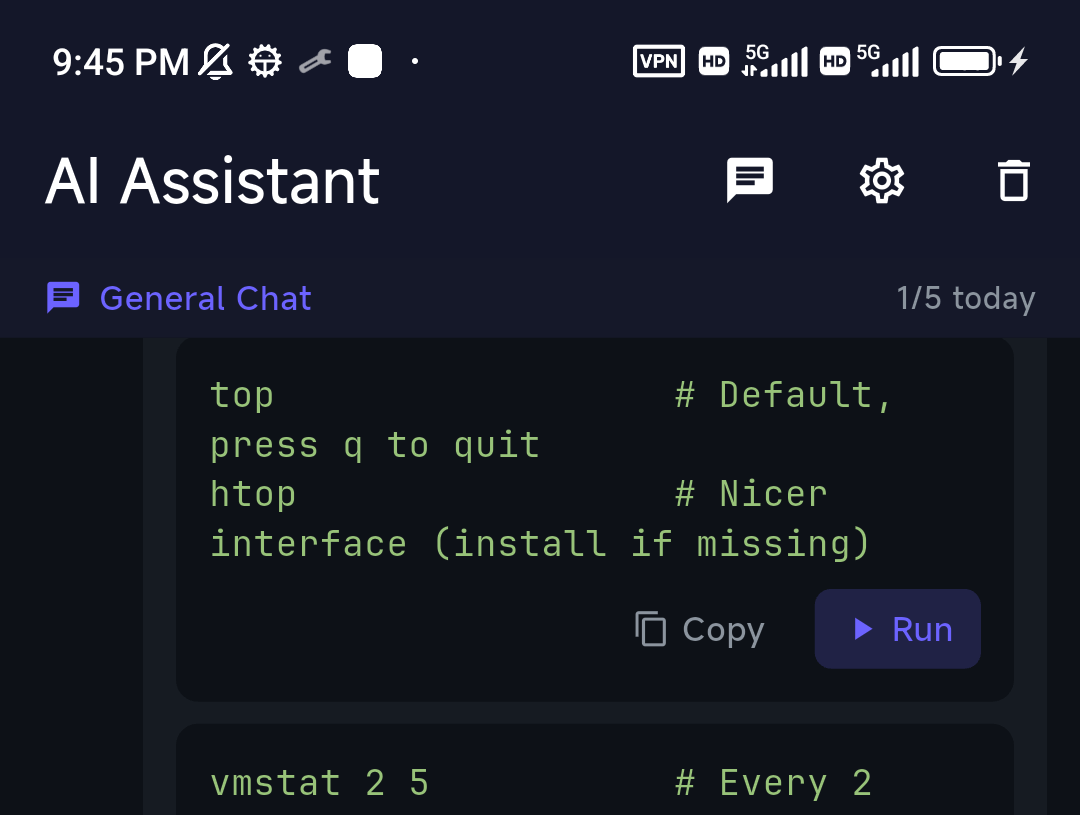
Being straight about the fit: TermAI is mobile-only. It is not a MobaXterm replacement — no X server, no RDP, no Windows app — and if your work is at a Windows desk it isn't the tool. The realistic pattern is a pair: MobaXterm (or Windows Terminal) on the desk, TermAI on the phone for the 11pm "is nginx down?" moment. TermAI Pro is $2.99/month against Termius Pro's $10, and the free tier includes sync plus 5 AI requests a day. More on the phone side: managing servers from your phone, Tailscale SSH, and the platform roundups for iPhone and Android.
How to pick
- Windows, and you forward X11 GUI apps → MobaXterm. Nothing else here does it.
- Windows, and you want SSH + RDP + VNC + SFTP in one window → MobaXterm.
- Windows at work, more than 12 sessions or 2 tunnels → MobaXterm Professional (the free edition isn't licensed for it either).
- Locked-down machine, no admin rights, USB stick → MobaXterm portable edition.
- Two or more OSes, want one synced host list → Termius Pro.
- One device, want a good free client with unlimited hosts and tunnels → Termius Starter.
- Credentials must never leave the machine → MobaXterm (local vault) or plain OpenSSH.
- Mostly managing servers from a phone, with AI and Tailscale → TermAI.
- Free and open source, cross-platform desktop → Tabby, not either of these.
FAQ
Is MobaXterm better than Termius?
For an all-in-one Windows toolkit — X server, RDP, VNC, network daemons, local Unix shell — yes, and by a wide margin. For cross-platform use, mobile access, Mosh and a synced vault, Termius wins just as clearly. They optimise for different users, so the better question is which description fits you: one Windows desk, or several devices.
Termius vs MobaXterm — which should I use on Windows?
If Windows is your only platform, start with MobaXterm: it does more, costs less over time, and the free Home Edition covers a homelab. Choose Termius on Windows only if you also use a Mac, a Linux machine or a phone and want the same hosts on all of them.
Does MobaXterm work on Mac or mobile?
No. MobaXterm is Windows-only — there's no macOS, Linux, iOS or Android build. On a Mac use Termius, Tabby, Royal TSX or the built-in terminal; on a phone use Termius or TermAI. Running it under Wine or in a VM is possible but not supported and not pleasant.
Is MobaXterm free?
There's a free Home Edition, capped at 12 sessions, 2 SSH tunnels and 4 macros, with network daemons limited to 360 seconds of runtime — and it's licensed for personal use. The Professional Edition removes the caps and covers company use.
How much does MobaXterm Professional cost in 2026?
Third-party software directories list it from about $69 per user with volume discounts; Mobatek's terms describe a perpetual licence including 12 months of update service, renewable if you want newer builds. Licences are per end user, not per computer. Check mobatek.net for the current price — the $69 figure comes from directories, not a vendor price list.
Can I use free MobaXterm at work?
No — the Home Edition is for personal use; commercial deployment is what Professional Edition is licensed for. This catches out teams who installed it individually and only later noticed. Termius's free Starter plan, by contrast, explicitly allows commercial use.
How much does Termius cost in 2026?
Pro is $10 per user per month billed annually (~$120/year); month-to-month is reported near $19.99. Team is $20 and Business $30 per user per month. The Starter plan is free forever with unlimited hosts, SSH, SFTP, port forwarding and AI autocomplete — but no sync between devices. There is no one-time purchase option.
Can Termius replace MobaXterm?
For SSH, SFTP and tunnels, yes. For the X server, RDP, VNC and the embedded TFTP/NFS/HTTP daemons, no — Termius doesn't have them, and there's no add-on that adds them. If you use those, Termius is a companion, not a replacement.
Does MobaXterm have an AI assistant?
No. As of August 2026 MobaXterm ships no AI features — no natural-language command generation, no LLM integration. Termius has AI autocomplete on its free tier with a conversational Agent in beta. On phones, TermAI's assistant suggests a command with a Run button and asks for confirmation before anything destructive.
Which is faster?
Both are fast enough that the network, not the client, is your bottleneck. MobaXterm launches heavier because it loads an X server and a Cygwin environment; Termius (Electron on desktop) uses more memory per window. Neither difference is worth choosing on — the feature set is.
Does either support jump hosts / ProxyJump?
Yes, both. MobaXterm exposes an SSH gateway field per session; Termius has a jump-host setting on each host and syncs it with the rest of the entry. If you already have a working ~/.ssh/config, both can also just use your existing OpenSSH setup.
What's the latest MobaXterm version?
Stable 26.4, released 11 June 2026, with 26.5 preview builds appearing through the summer of 2026. Recent releases added smart-card certificate authentication for SSH sessions, WebAuthn redirection in RDP, and updated OpenSSL, OpenSSH and Xorg components.
Can I sync my MobaXterm sessions between two PCs?
Not natively — there's no cloud vault. You can export sessions to a .mxtsessions file, or keep the portable edition together with its MobaXterm.ini on a synced folder or USB stick. It works, but it's manual and you're responsible for encrypting whatever you sync. Built-in cross-device sync is the thing Termius Pro sells.
Is there a MobaXterm for Android or iPhone?
There is no official one and no third-party port. The closest mobile experience is a managed SSH client — Termius (same account as your desktop) or TermAI (AI assistant plus built-in Tailscale, free tier). Android users who want a Linux environment on the phone itself want Termux instead; the distinction is covered in Termius vs Termux.
Quick Facts
- MobaXterm: Windows-only all-in-one — SSH, X11 server, RDP/VNC, SFTP pane, network daemons, portable edition; no sync, no mobile, no Mosh, no AI
- MobaXterm version (Aug 2026): stable 26.4, released 11 June 2026; 26.5 in preview
- MobaXterm free tier: Home Edition — 12 sessions, 2 SSH tunnels, 4 macros, 360s daemon runtime, personal use only
- MobaXterm paid: Professional, listed ~$69/user by third-party directories — perpetual licence with 12 months of updates, per end user
- Termius: cross-platform (Windows, macOS, Linux, iOS, Android) SSH/Mosh/Telnet/SFTP client built around a synced vault
- Termius pricing (Aug 2026): free Starter (unlimited hosts, no sync, commercial use OK); Pro $10/user/mo annual; Team $20; Business $30
- The real dividing line: MobaXterm = breadth on one Windows desk; Termius = continuity across devices
- Neither is a phone-first client: MobaXterm has no mobile app; for phones, Termius or TermAI (AI assistant, built-in Tailscale, free tier, $2.99/mo Pro)
Free on iOS and Android. 5 AI requests/day on the free tier, plus unlimited SSH/SFTP and built-in Tailscale.