Running real infrastructure from your phone
A phone is a perfectly good admin terminal once two things are solved: reaching your servers from anywhere (without exposing them to the internet) and doing real work on a small screen (without fighting the keyboard). This hub links the focused guides for each piece — remote access, the homelab stack, file transfers, and the workflow tricks that make mobile DevOps actually pleasant.
1. Reach your servers from anywhere
The foundation. Private LAN addresses don't work outside your home, and exposing SSH to the internet is risky — a mesh VPN solves both.
- Access your home server from anywhere — the three options compared (Tailscale, port forwarding, reverse tunnel).
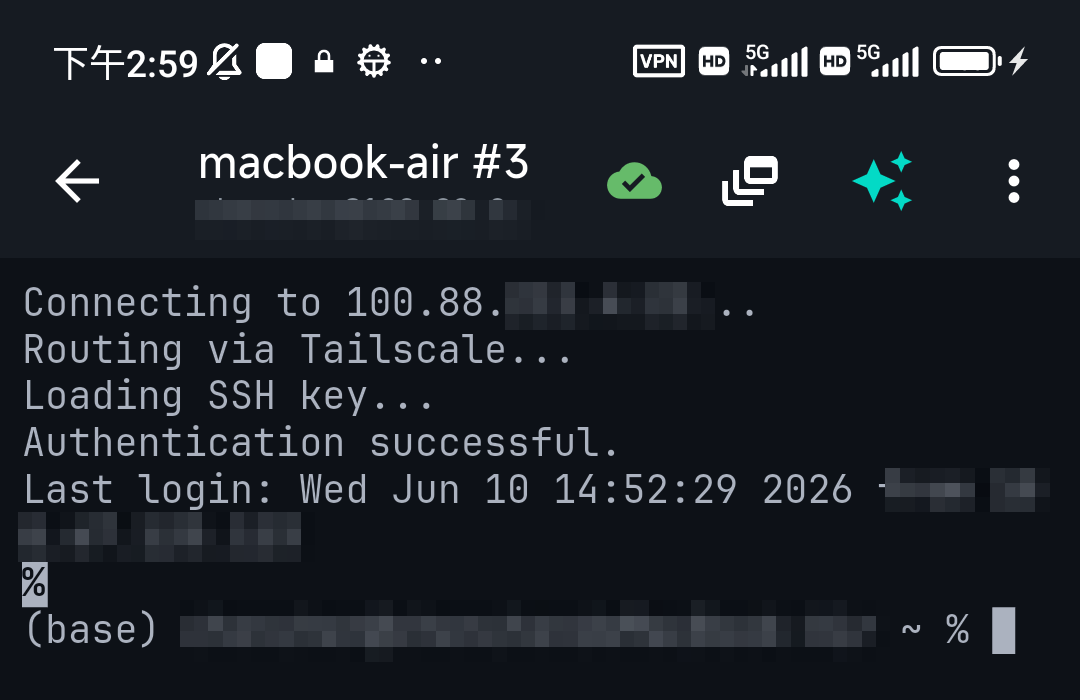
- Tailscale SSH on mobile — the recommended setup, full walkthrough.
- Tailscale on iPhone · Tailscale exit nodes
- Managing a VPS from your phone — for cloud servers.
2. Run your homelab stack
Most self-hosted tools have awkward mobile web UIs; SSH is often the faster path.
- Self-hosting from your phone — the overall workflow.
- Proxmox from your phone —
qmandpctover SSH. - Managing Docker from your phone · docker exec over SSH
- Home Assistant over SSH · Pi-hole over SSH
- SSH to a Raspberry Pi · Run Linux on Android
3. Move and edit files
- Transfer files over SSH — SCP, SFTP and rsync.
- Best SFTP app for iOS — browse and edit server files from the phone.
4. Work efficiently on a small screen
The difference between "painful" and "pleasant" mobile admin is workflow.
- How to manage 10 servers from your phone — tags, groups, snippets, on-call flow.
- SSH keyboard shortcuts on a phone — Esc, Tab, Ctrl on a touch keyboard.
- The SSH config file — and its mobile equivalent.
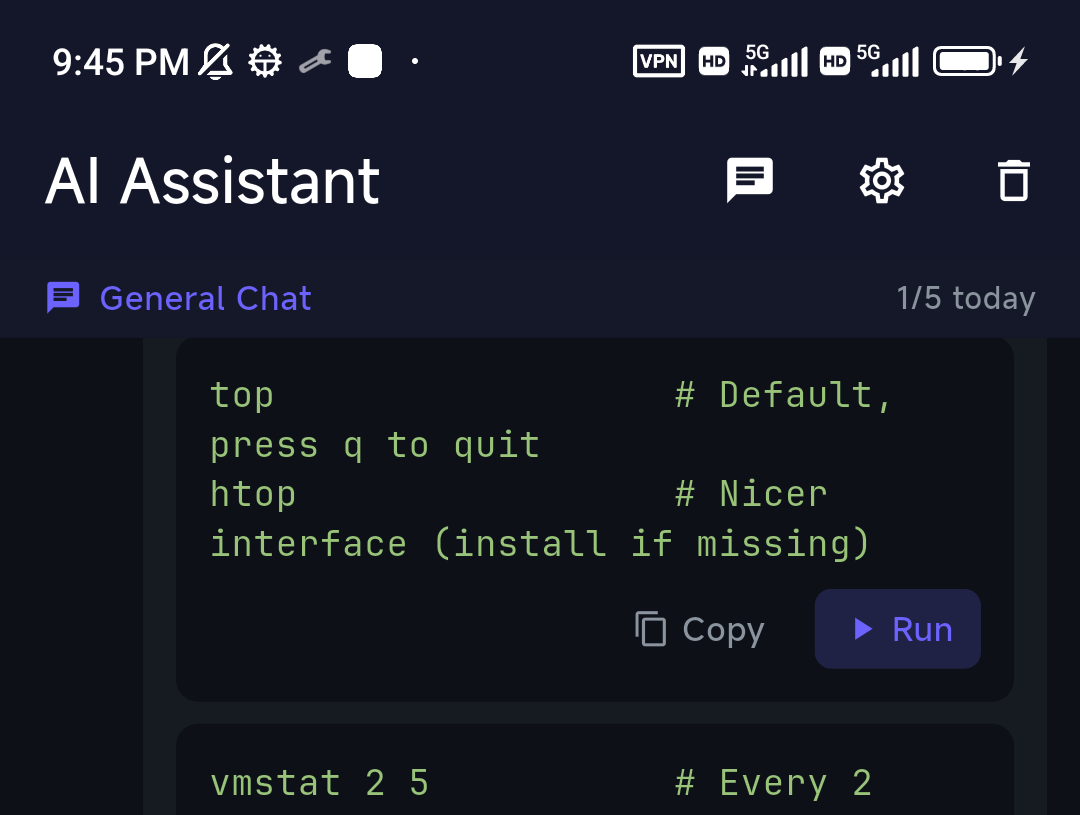
- AI for sysadmins — describe the task, get the command.
Why a phone works for this
Two modern pieces close the gap with a laptop: a mesh VPN (Tailscale) for stable, secure access from any network, and an AI assistant that turns "restart the nginx container and tail its logs" into the actual commands — so you're not typing flags on glass at 2am. TermAI builds both in: Tailscale for reach, an AI helper grounded in your live server, plus SFTP and a touch-optimized shortcut bar. The phone stops being a compromise and becomes the on-call terminal that's always with you.
FAQ
Can you really manage servers from a phone?
Yes — with a mesh VPN (Tailscale) for stable remote access and an AI helper for commands, a phone handles most day-to-day and on-call admin. The web UIs of tools like Proxmox or Docker are often slower than SSH on mobile.
How do I securely access my servers from my phone?
Use Tailscale (a mesh VPN) so each server has a stable private address reachable from anywhere, with nothing exposed to the internet. See access from anywhere.
What's the hardest part of mobile server admin?
Typing long commands and flags on a touch keyboard, and reaching private servers. An AI command helper and built-in Tailscale solve both.
Do I need a separate VPN app?
Not if your SSH client has Tailscale built in (like TermAI). Otherwise you run the Tailscale app alongside your SSH client.
Quick Facts
- Two enablers: a mesh VPN (Tailscale) for reach + an AI helper for commands
- Access: stable private address, nothing exposed — not port forwarding
- Homelab: SSH is usually faster than the mobile web UIs of Proxmox/Docker/etc.
- Workflow: tags, snippets, shortcut bar, and AI make small-screen admin pleasant
Free on iOS and Android. 5 AI requests/day on the free tier, plus unlimited SSH/SFTP and built-in Tailscale.